

Managing parameters
Parameter values on individual products — what is filled in, what the vendor sent, and what the system made of it.
Available to roles Admin, Editor, ViewerOpen in the app (Opens in a new tab)
System overview shows one row per parameter. This screen shows one row per product and value — the close-up view, for when you need to know why a particular product carries the value it does.
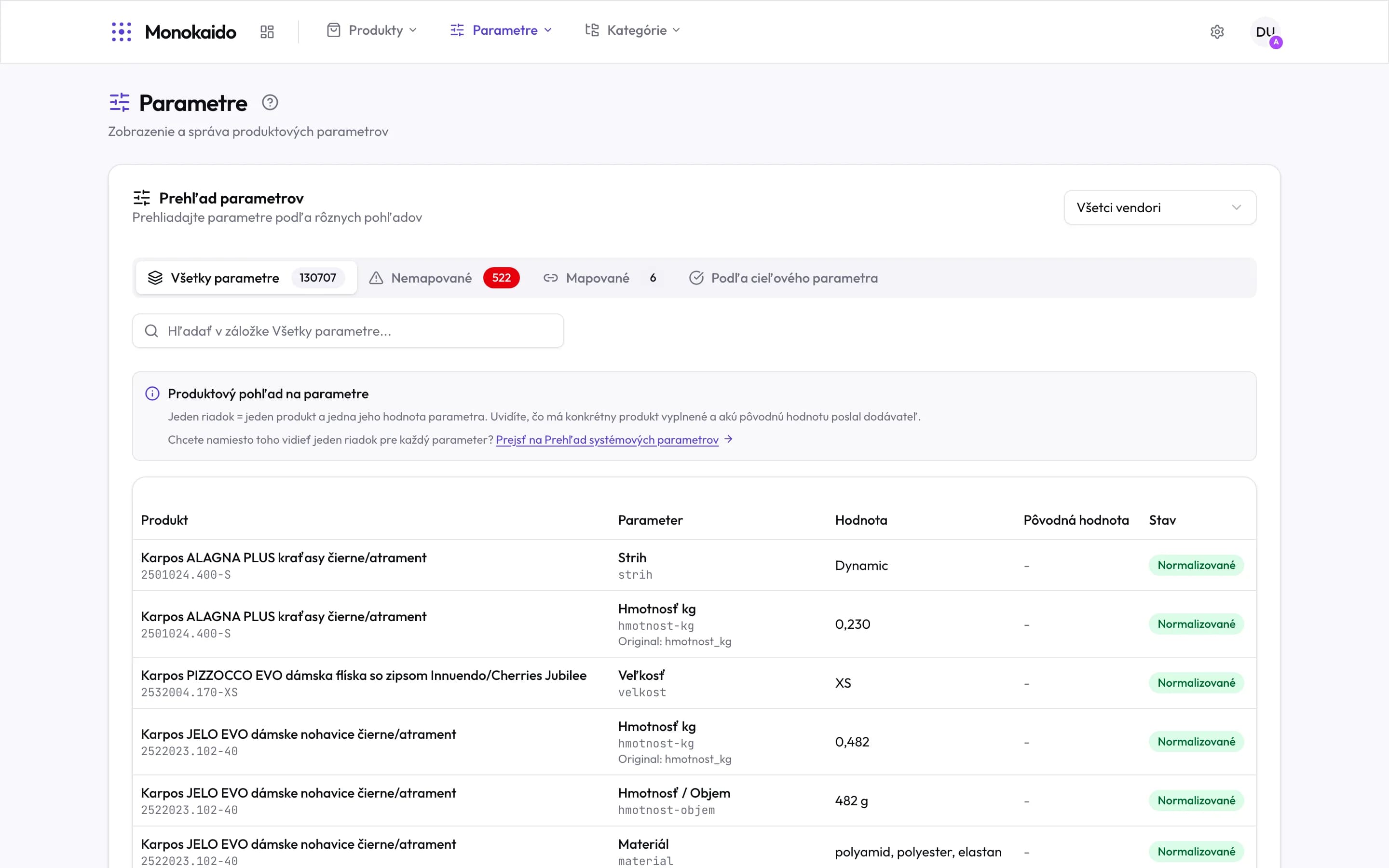
Controls on this screen
- Vendor filter — Narrows to one feed. The first step when chasing what a particular vendor sends.
- All parameters — The figure counts product-and-value pairs, not parameters. That is why it is orders of magnitude larger.
- Unmapped — Values with no target parameter. This is the queue of work.
- Mapped — Values that made it through normalisation.
- By target parameter — Grouped by your parameter — useful when checking one property across the catalogue.
- Switching the view — The screen itself offers the jump to the system overview when you want one row per parameter.
- Product — The name and code of the product the value belongs to.
- Parameter and its origin — Your parameter, its code, and beneath it "Original" — the name it arrived under from the feed.
- Value — The value after normalisation, as stored on the product. With an arrow “→” under it the shop gets the value after the arrow; “→ Not carried over” means it gets nothing.
- Original value — What the vendor sent, where it differs from the result. A dash means nothing was translated.
- State — "Normalised" means the value went through a mapping.
When to come here
| Situation | What you find here |
|---|---|
| A product shows an odd value in the shop. | Comparing "Original value" with "Value" says whether the vendor sent it that way, or a mapping caused it. |
| A shop filter offers duplicates. | The Unmapped tab shows the spellings that are not yet unified. |
| I want to check one property across the catalogue. | The By target parameter tab groups all values of one parameter. |
Why does “All parameters” read over 130,000?
It is not a count of parameters but of filled values: every product contributes as many rows as it has parameters filled.
The Original value column is empty.
The value went through no translation — the vendor sent it in exactly the form being used.
Can I correct a value here?
A single value is edited on the product detail. If the same error repeats across products, fix it with a value mapping — otherwise the next import brings it back.