

Background processes
Long-running tasks — what is running, what is queued, what failed, and what actually changed.
On this page
When you start a bulk action, AI generation or a translation across a thousand products, the application does not make you wait — it queues the task and hands you back your work. This is where you see how it is getting on.
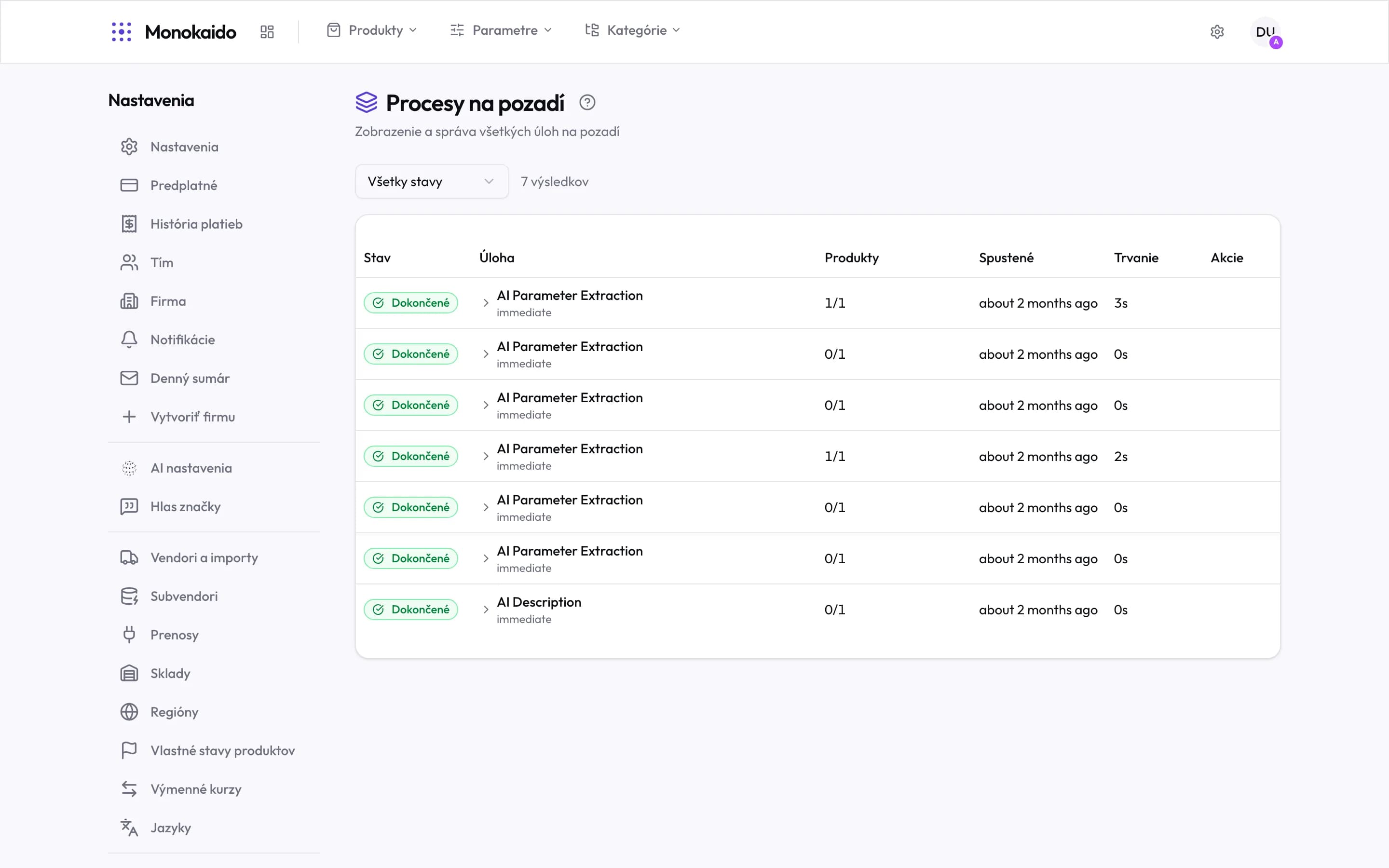
Controls on this screen
- Status filter — Running, pending, completed, failed, cancelled. When chasing a problem, start with failed.
- Result count — How many tasks match the filter. The list pages.
- Status — A running task also shows a percentage and the number processed.
- Expand — Opens the detail in the row: id, times, affected/skipped/failed counts, the error and the metadata.
- Task and trigger — The kind of task, and whether it was immediate or scheduled.
- Products — Processed out of total. 0/1 means nothing changed — not that the task failed.
- Started — When the task began.
- Duration — How long it ran. A long duration on AI tasks is normal.
- Actions — Cancelling a running task, and the way through to the product details.
Statuses
| Status | What it means | What to do |
|---|---|---|
| Pending | Queued, waiting for a free slot. | Nothing. Concurrency is set by the package. |
| Running | Being processed; the percentage and progress are shown. | It can be cancelled. Products already processed stay changed. |
| Completed | It ran to the end. | Expand the row and check the counts — completed does not mean everything changed. |
| Failed | It ended with an error. | The error message is in the detail. |
| Cancelled | A person stopped it. | Changes made up to that point remain. |
The run detail
The product-details link opens a separate screen with the products and the actual changes: what it was before and after, how many parameters were filled, which languages were translated, or why a product was skipped.
| Product status in the detail | What it means |
|---|---|
| Success | The change went through and is written. |
| Skipped | The product did not meet the condition — it already had the value the task was about to add, for instance. |
| Failed | This particular product errored. The rest of the run carried on. |
In an AI value mapping run with Auto-apply high confidence mappings on, a proposal may fail to save — because a Don't carry this value over rule already decides the value, for example. Such a proposal still reads Success in the table (the proposal was made, but nothing was written) and shows why it was not saved; expanded, its row also carries the badge Not auto-applied. The proposal stays in the Pending review card. Accept all and Accept selected save what they can; what cannot be saved stays in the card with its reason.
A stuck queue
If tasks are left in the queue that lead nowhere (typically after an environment restart), the queue can be cleared. That removes pending tasks, not completed records — the history stays.
Why is a task waiting when nothing else is running?
Concurrency is a package limit — how many tasks may run at once. The current value is stated on the screen.
I closed the browser — does the task keep running?
It does. It runs on the server and does not depend on your session.
Where are the vendor imports?
Not here. Imports have their own import logs; this screen covers the tasks you start.