

Regions
The countries and regions you sell to — currency, tax, and the shipping tied to a region.
Available to roles AdminOpen in the app (Opens in a new tab)
A region joins three things that belong together: where you sell, in what currency, and at what tax rate. Without one, an import has nowhere to put a price.
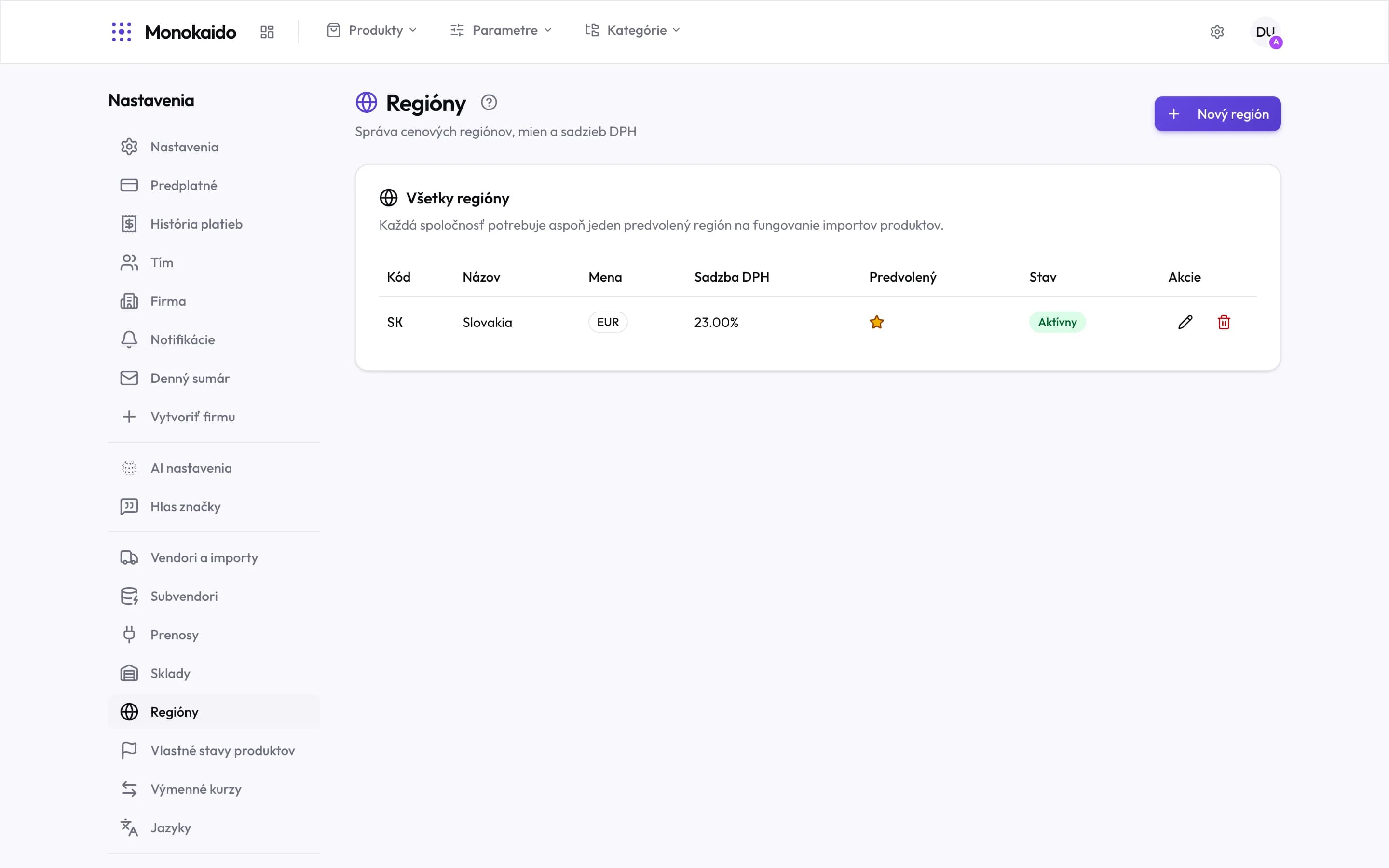
Controls on this screen
- New region — Adds a country or market you sell to.
- The import precondition — Without a default region, product imports do not work. It is the one hard requirement on this screen.
- Code — The country code — used by shipping methods and in exports.
- Currency — What this region charges in.
- VAT rate — The standard rate for the region.
- Default — The region used when no other is specified.
- State — An inactive region is offered neither in shipping nor in the shop.
What a region governs
| Connects to | How | Where |
|---|---|---|
| Prices | The region's currency decides what a price is recorded and converted in. | Exchange rates |
| Tax | The region's VAT rate feeds the tax-inclusive price. | Shop settings |
| Shipping | A shipping method delivers to chosen regions. | Shipping |
| Storefront | A storefront is tied to a region. | Storefronts and keys |
I only sell domestically. Do I need regions?
Yes — one. The default carries the currency and the VAT rate.
The VAT rate changed.
Update it on the region. New calculations use the new rate; documents already issued stay as they were.