

Trust elements
Icons and claims such as "free shipping" or "30-day returns", and where they appear in the shop.
Short claims with an icon — "free shipping over €50", "30-day returns", "in stock, dispatched today". They appear beside the product and in the cart, which is exactly where a customer decides.
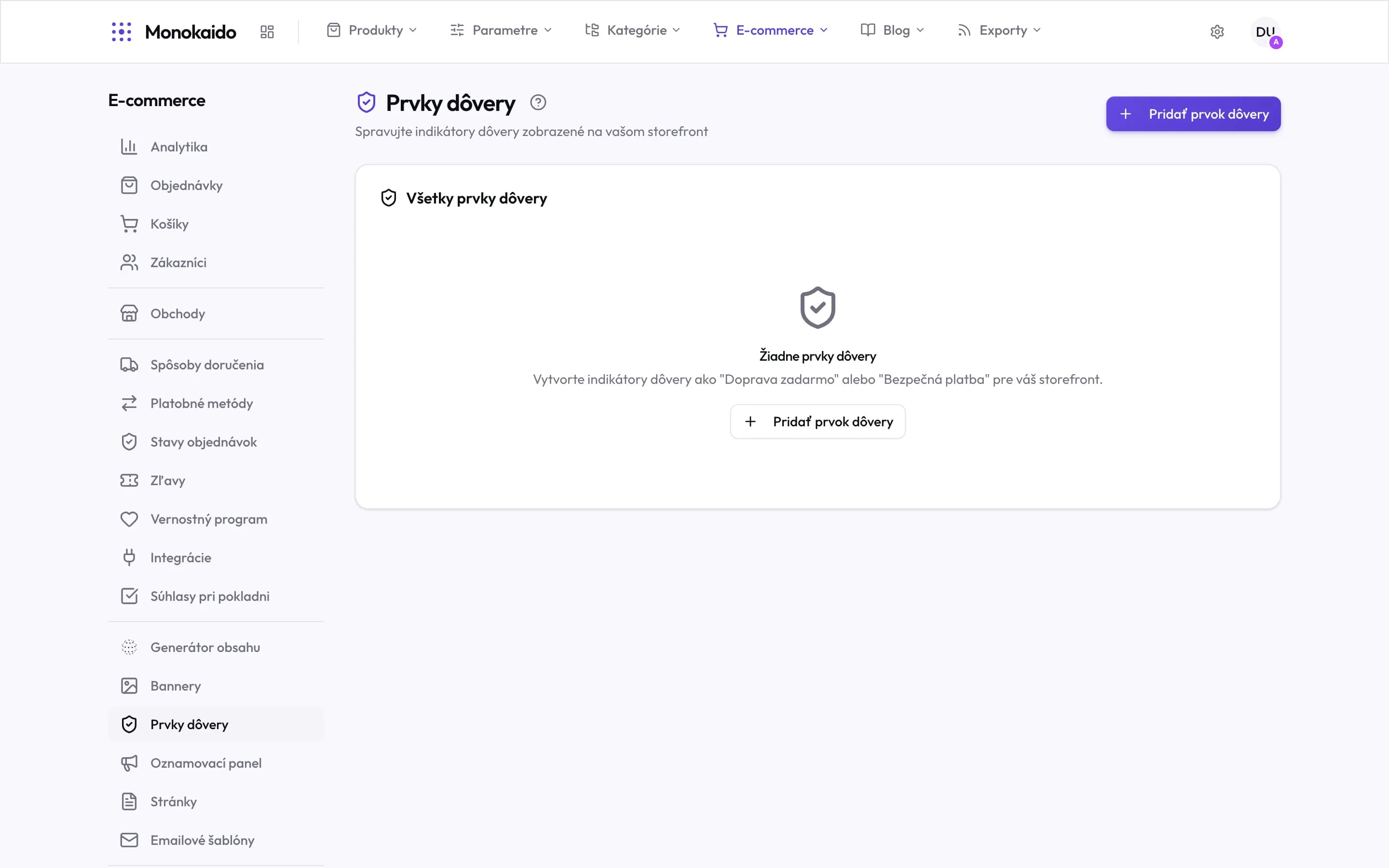
Controls on this screen
- What these are — Trust indicators on the storefront — plain promises, not settings. They enforce nothing.
- Add trust element — A new element. Its text and icon are set on it.
- All trust elements — One list for the whole shop.
- Empty state — The empty state offers examples outright — and it is worth sticking to what you actually deliver.
- Where it lives — In the left ecommerce menu, in the content group between banners and the announcement bar.
Configuring an element
| Field | What it does | Note |
|---|---|---|
| Icon and text | The claim itself. | Short and specific. "Fast delivery" says nothing; "delivered in 2 days" does. |
| Placement | Where it appears. | Product detail, cart, checkout, footer. |
| Order | Its position in the group. | The first claim is read by the most people — put the strongest one there. |
| Active | Whether it is shown. |