

Authors
The author profiles shown alongside articles.
An author is a profile shown with an article, not a system user. They are two different things: an article can be bylined by an expert who never signs in to Monokaido.
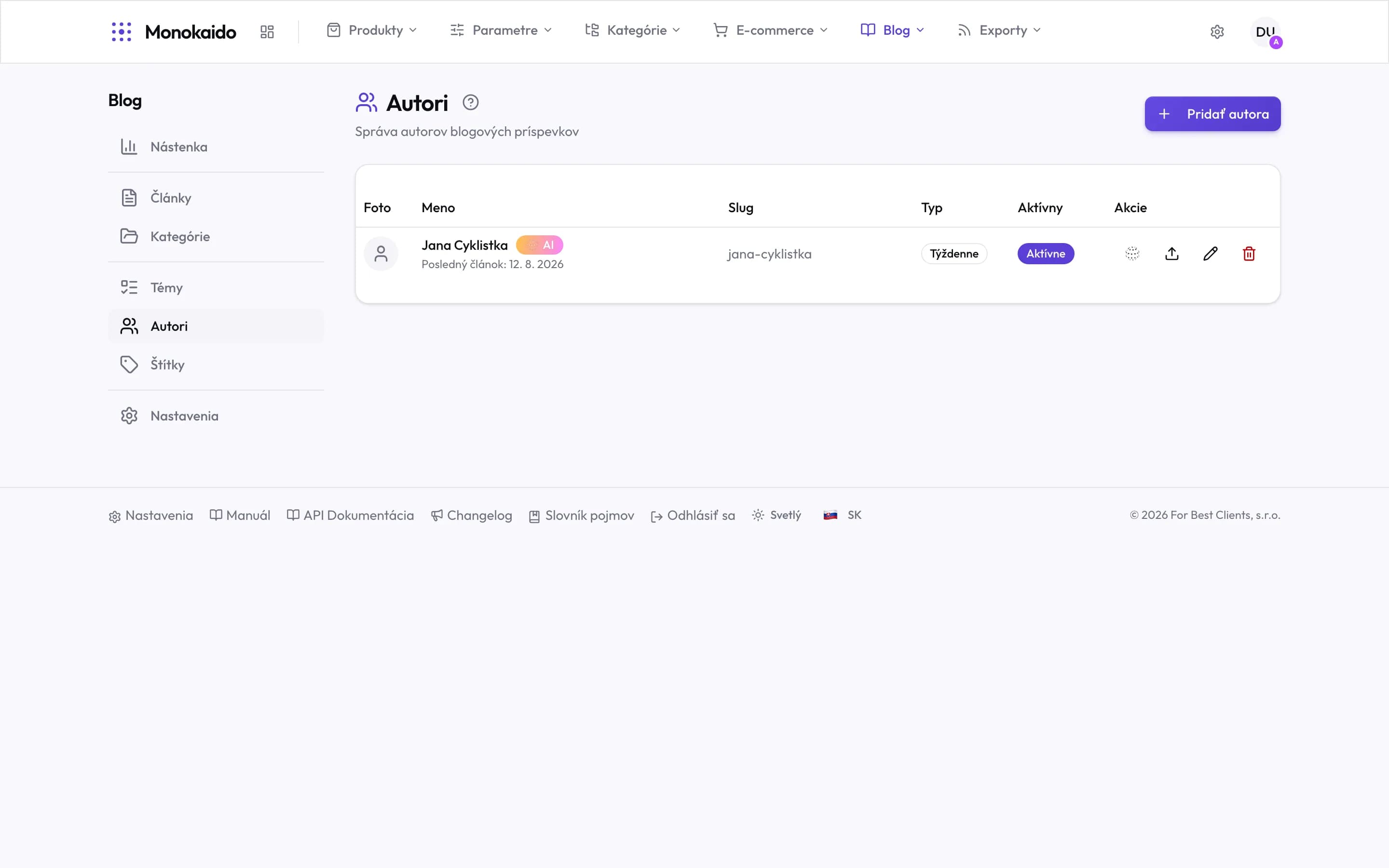
Controls on this screen
- Add author — A new author. They can be human or AI.
- Photo — Shown with the article in the shop. Uploaded through the row action.
- Name and AI badge — The AI badge means the author writes on its own. Without it, this is a byline for hand-written articles.
- Last article — When the author last published. An old date on an active author means the schedule is not running.
- Slug — The address of the author's page in the shop. Hard to change later — readers and search engines already know it.
- Frequency — How often the AI author writes. A schedule, not a limit.
- Active — An inactive author does not cease to exist, it just stops writing.
- Generate now — Does not wait for the schedule — produces an article immediately.
What a profile holds
| Field | What it does | Note |
|---|---|---|
| Name | The byline. | |
| Photograph | The portrait in listings and in the article header. | Without one the byline reads as anonymous. |
| Short bio | One or two sentences about the author. | This is where the reason to trust them belongs — experience, qualification, years in the trade. |
| Links | Optional links to profiles. |
Does an author need a Monokaido account?
No. An author profile is independent of user accounts.
Can an author be assigned to a generated article?
Yes — and it is better than leaving it unsigned. But only byline someone who genuinely stands behind the content.