

Shop translations
The shop's interface wording in your languages — what can be overridden and what is translated automatically.
These are not product or parameter translations — they are the interface wording itself: "Add to cart", "Continue shopping", "Delivery and payment". They arrive translated, but they can be overridden.
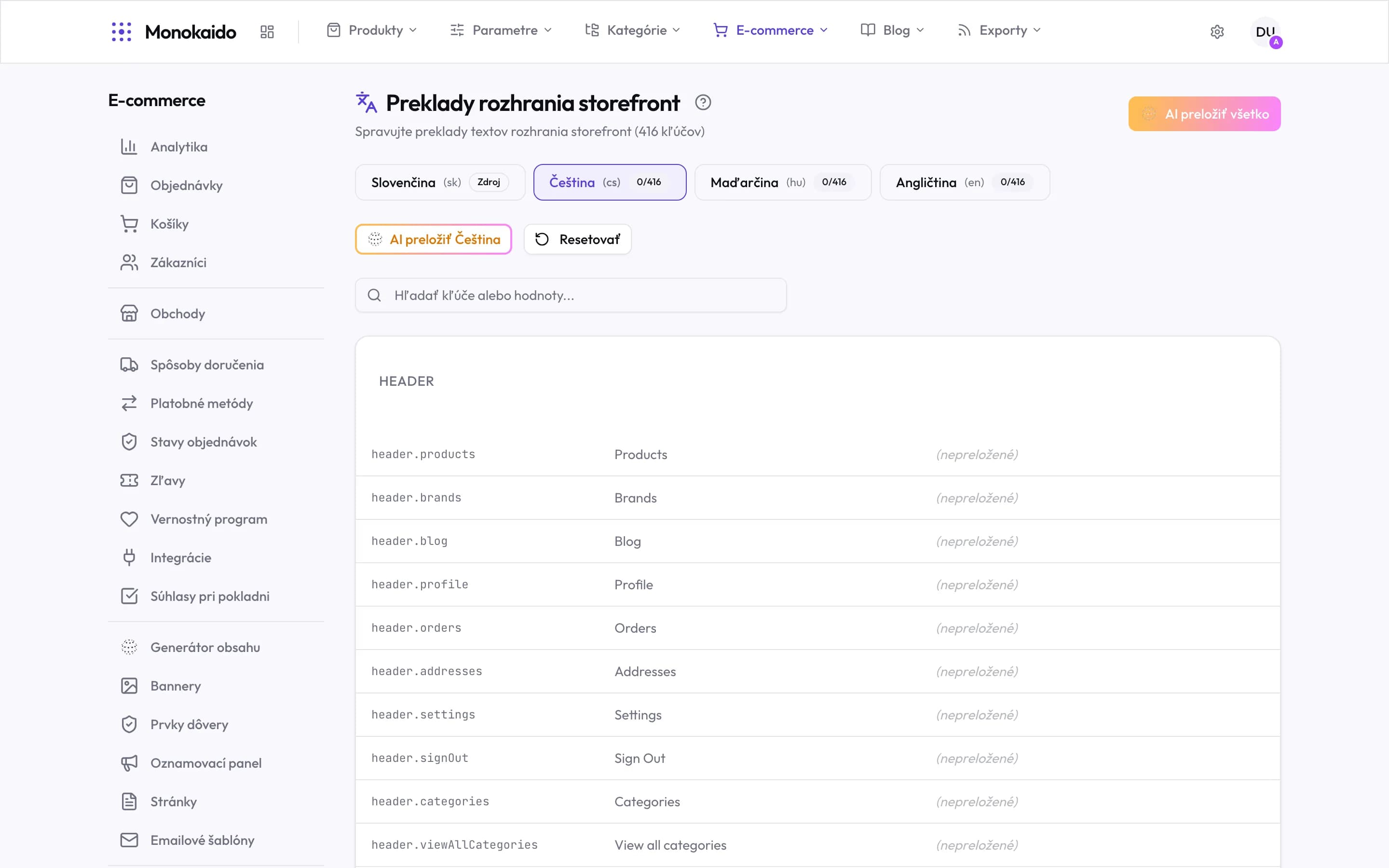
Controls on this screen
- The scope — The key count in brackets is the whole shop interface. That is how many texts a language needs to be complete.
- Source language — Marked as Source. Everything is translated from it — it is changed in the language settings.
- Target language and coverage — The fraction says how many keys are translated. 0/416 means the shop is still entirely in the source language.
- AI translate everything — Every language at once. Fast, but it spends tokens on every key — on a first run that is the whole set.
- AI translate one language — The safer start: translate one language, read it through, then carry on.
- Reset — Returns the language to untranslated. Your manual corrections go with it.
- Search — By key and by value. When you spot a bad text in the shop, search for the text itself.
- Groups — Keys are grouped by part of the shop — header, checkout, product.
- Key — The machine name of a text. It never changes and is the same in every language.
- Untranslated — While this note is here, the shop shows the source text in that language.
Why override
| Reason | Example | Note |
|---|---|---|
| A different register | Formal versus informal address. | It has to be consistent across the shop — one informal string at checkout sticks out. |
| Trade terminology | Your trade calls something else. | A customer searches for the word they know. |
| Length | The translated text does not fit the button. | Shortening is the most common reason to intervene. |
How is this different from Parameter translations?
Parameter translations are your data. These are the application's own wording around it.
I overrode a string and want the original back.
Delete your override — the default is used again.