

Warehouses
Warehouses and their stock, how they map to vendors, and their effect on shop availability.
Available to roles Admin, EditorOpen in the app (Opens in a new tab)
A warehouse is where goods sit. Monokaido has two kinds, and they differ in one material way: who may change them.
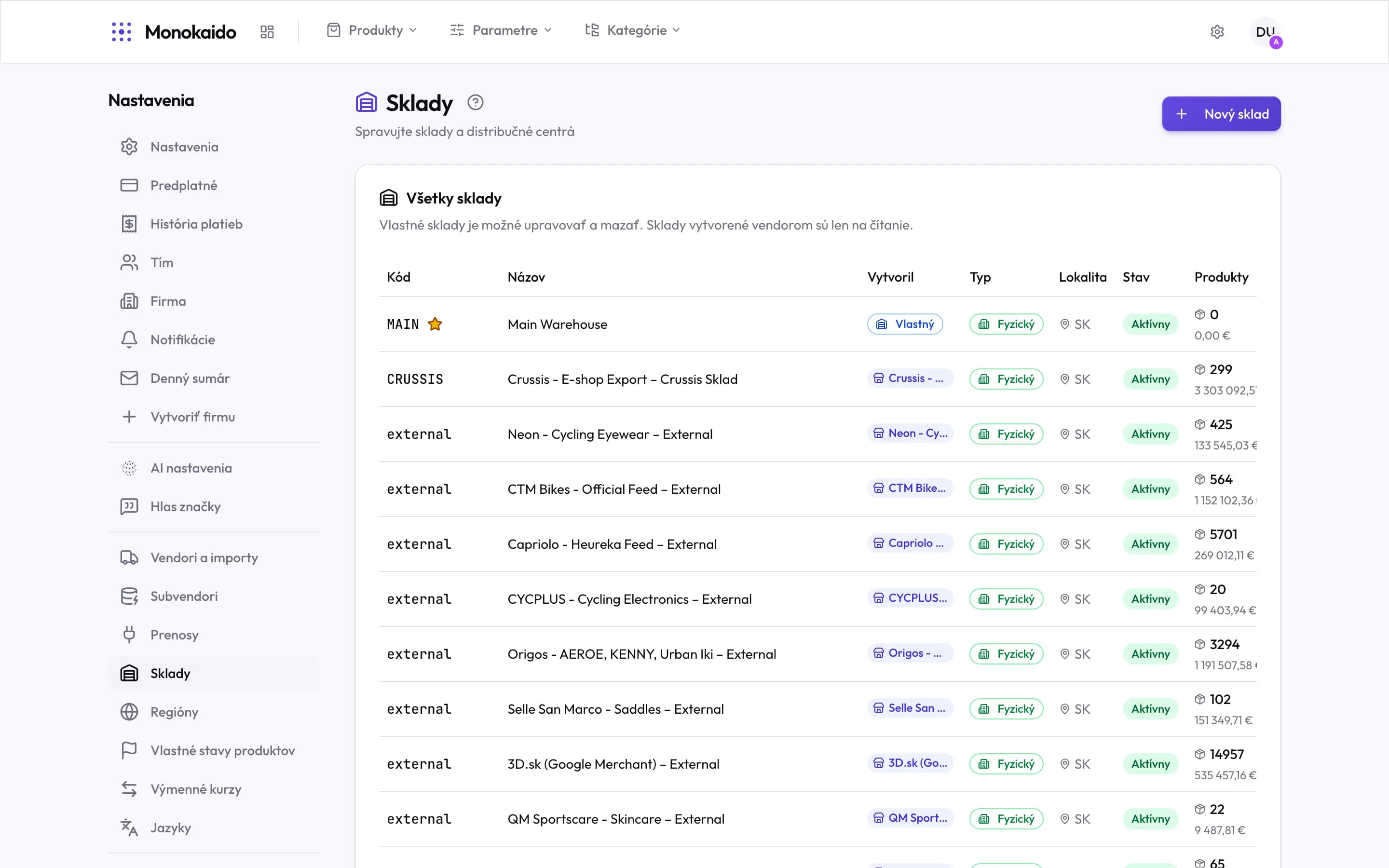
Controls on this screen
- New warehouse — Creates one of your own — a shop floor, or a partner's external store.
- The editing rule — The screen says it outright: your own warehouses can be changed; vendor ones are read-only.
- Code — The warehouse identifier. Stock from a feed is matched by it.
- Star — The default warehouse. Stock with no warehouse specified goes here.
- Own — A warehouse you created. It can be edited and deleted.
- Vendor warehouse — It came from a feed. Editing it is pointless — the import overwrites it.
- Type — A physical warehouse versus a record-keeping one.
- State — An inactive warehouse does not count towards shop availability.
- Products and value — How many items it holds, and at what value.
Two kinds of warehouse
| Kind | Where it comes from | What can be done to it |
|---|---|---|
| Own | You created it. | Edit, rename, deactivate, delete. |
| Vendor | It appeared during a feed import. | Read only. A change would not survive the next import. |
Why do I have so many warehouses?
Every vendor that sends stock gets one. It is normal and does not need tidying.
A product has stock but shows as sold out in the shop.
The stock is probably in an inactive warehouse, or one that does not count towards availability.