

E-commerce
What the shop module adds, how it is switched on, and which screens come with it.
Without this module Monokaido is a product-data system: you prepare the catalogue and hand it somewhere else. With the E-commerce module you can sell from that same catalogue directly — orders, payments, shipping and customers sit alongside the data they came from.
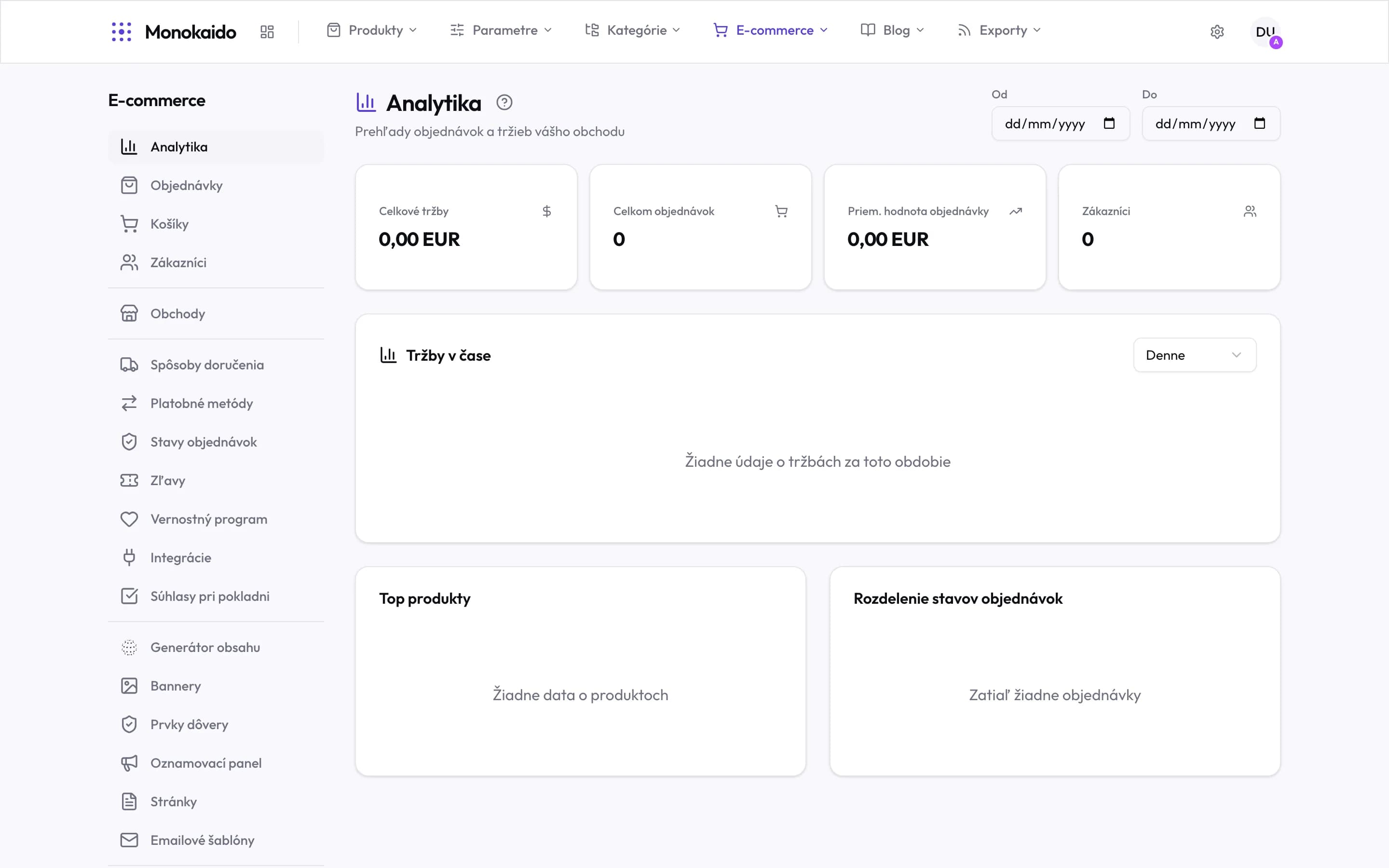
Controls on this screen
- Operations — Analytics, orders, carts, customers. What you look at daily once the shop is running.
- Channel — Shops. Where the catalogue is published — a ready-made storefront or an API for your own front end.
- Checkout — Shipping, payments, order statuses, discounts, loyalty, integrations, consents. Without this group an order cannot be completed.
- Content — Content generator, banners, trust elements, announcement bar, pages, emails. What the customer reads.
- The section opens on analytics — Clicking Ecommerce in the top menu brings you here — to the overview, not to settings.
What the module adds
| Area | Chapters | Note |
|---|---|---|
| Selling | Orders, Carts, Customers, Newsletter, Contact forms | The daily running of the shop. |
| Money and delivery | Payments, Shipping, Discounts, Loyalty | Set once, changed rarely. |
| Content | Storefront design, Banners, Pages, Email templates, Content generator | How the shop looks and what it says to customers. |
| Configuration | Storefronts and keys, Shop settings, Parameters in the shop | Identity, numbering, tax, filters. |
One catalogue, several shops
The module does not assume a single shop. The same catalogue can serve several storefronts, each with its own domain, language and currency, and each connecting with its own access key. That is why the settings are split: what belongs to the catalogue lives in Products and Parameters; what belongs to a shop lives here.
How the module is switched on
The e-shop is a paid add-on you can switch on with any package — since 2026-09 no package includes it. Without it the section shows its price and an Activate button in place of its screens. You switch it on and off in Settings → Subscription (Opens in a new tab), in the Add-ons card. It is billed together with your package on the same invoice; once cancelled it stays on until the end of the period already paid for.
If our support set up your package (not through online payments), you cannot buy an add-on in the app — write to us and we will switch it on for you.