

Shop pages
Terms, about us, contact — static pages and their addresses.
Static pages are the content that does not change with the catalogue: terms and conditions, returns policy, privacy, about us, contact. Some of them are legally required, and customers look for them in the footer.
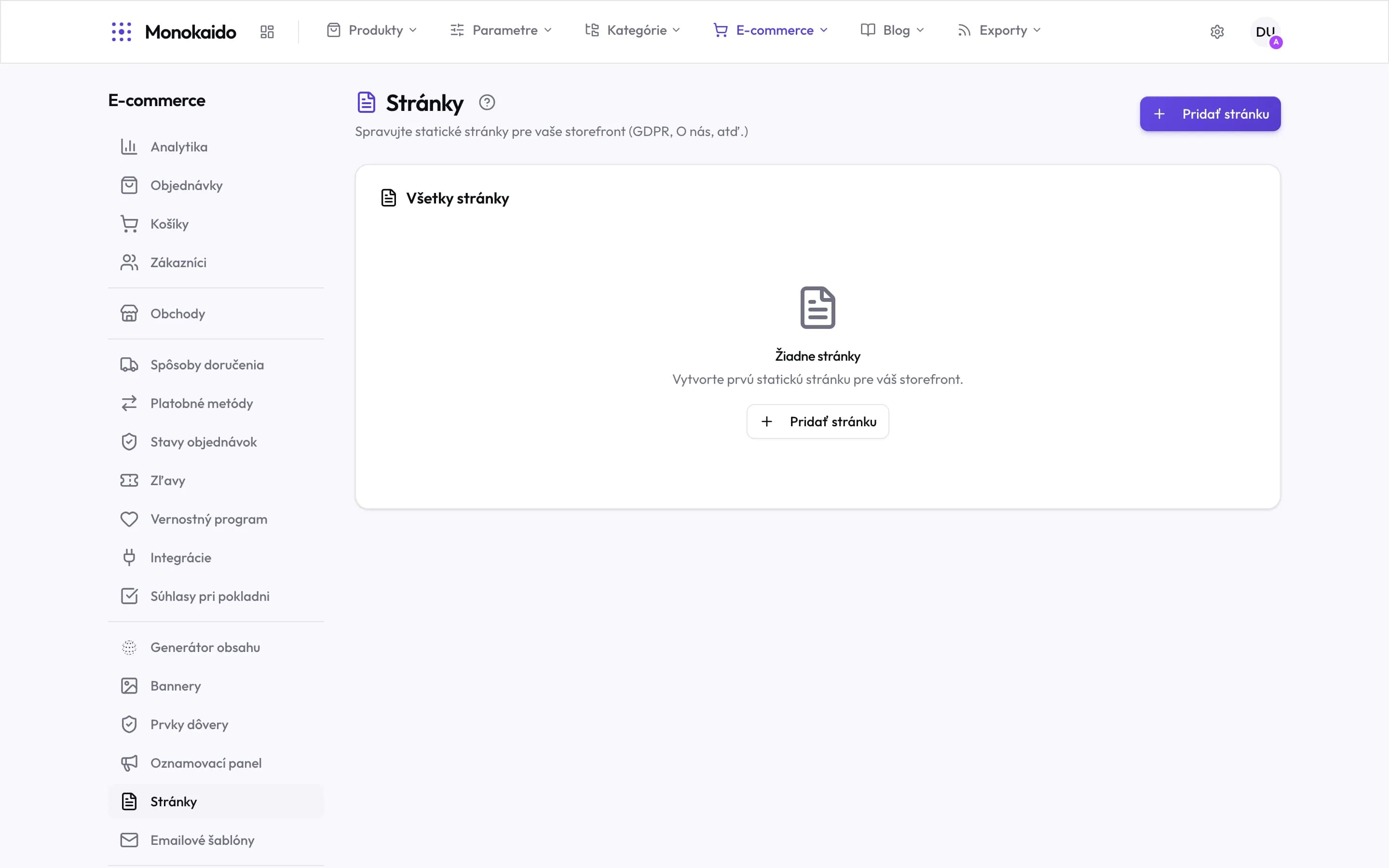
Controls on this screen
- What it is for — The shop’s static pages. The examples in the description are not incidental — they are the pages a shop needs to have.
- Add page — A new page. Its address and content are set on it.
- All pages — One list for the whole shop.
- Empty state — An empty list does not stop the shop launching — but terms and GDPR should not be missing.
- Where it lives — In the left ecommerce menu, between the announcement bar and email templates.
What a page holds
| Field | What it does | Note |
|---|---|---|
| Title | The page heading. | |
| Address (slug) | The address the page lives at. | Change it after publishing only deliberately — footer links and emails point at it. |
| Content | The text, with formatting. | |
| Visibility | Published or draft. | A draft is unreachable in the shop, even by direct address. |
| Language | The language version. | Every shop language has its own version of the page. |
Where does a page appear?
At its own address, and in the shop footer.
Can I link to a product from a page?
Yes, with an ordinary link. But the link does not know when the product changes or is discontinued — on a fast-moving range a category is safer.