

Customers
Customer accounts, order history, addresses, and the loyalty balance.
A customer is an account in the shop. Not every order has one behind it — guest checkout is common — but where an account exists it holds the history, the addresses and the loyalty points together.
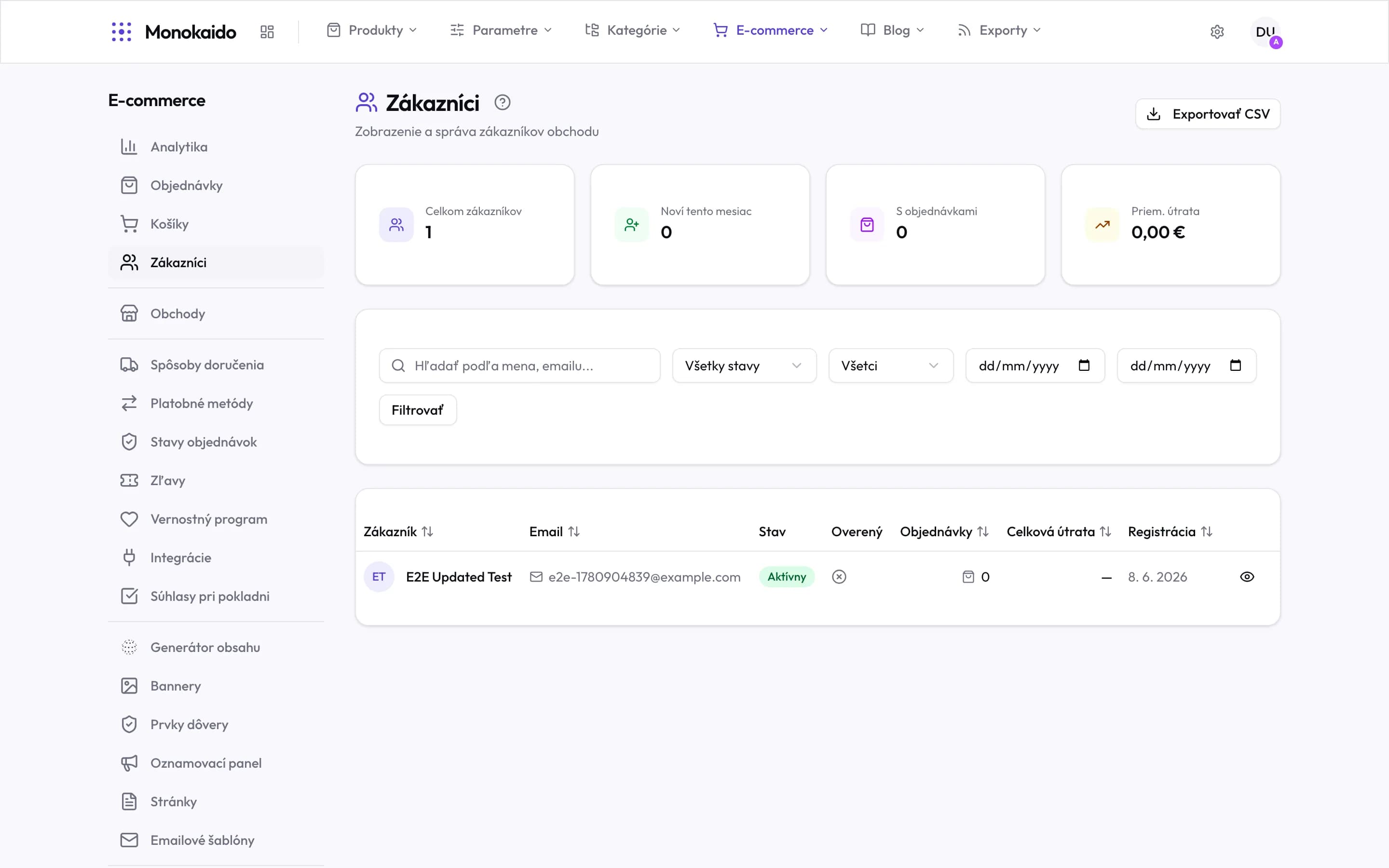
Controls on this screen
- Export CSV — Exports the customers matching the current filter — not always the whole database.
- Total customers — Registered shop customers, not orders.
- New this month — The gain over the current month.
- With orders — How many actually bought. The gap from the total is your registration conversion.
- Average spend — Per customer, not per order.
- Search — By name or email.
- Status — An active or a deactivated account.
- Filter — The filters apply on this button — typing into the fields does not change the list on its own.
- Verified — Whether the customer confirmed their email. An unverified account is ordinary, not a problem.
- Sortable columns — The arrow beside a heading sorts — by total spend, for instance.
- Customer detail — Opens the order history, addresses and loyalty points.
The customer detail
| Field | What it does | Note |
|---|---|---|
| Contact | Email and phone. | The email is also the sign-in name; changing it changes how they log in. |
| Addresses | Saved delivery and billing addresses. | The customer manages these; you can see and, if needed, correct them. |
| Orders | The whole purchase history. | The first thing to look at for any customer question. |
| Loyalty balance | Points and their history. | Points can be credited by hand — see Loyalty programme. |
| Consents | What the customer agreed to, and when. | The record of consent — see Checkout consents. |
A customer asks for their data to be erased.
The account can be deleted. Orders remain as accounting records but lose their link to the account.
An order has no customer.
It was placed without registering. The contact details are stored on the order itself.