

Storefronts and access keys
One catalogue, several shops: domain, language, currency, and the key a shop connects with.
On this page
Monokaido does not assume a single shop. The same catalogue can serve several storefronts — a different domain per country, wholesale alongside retail — and each connects with its own key.
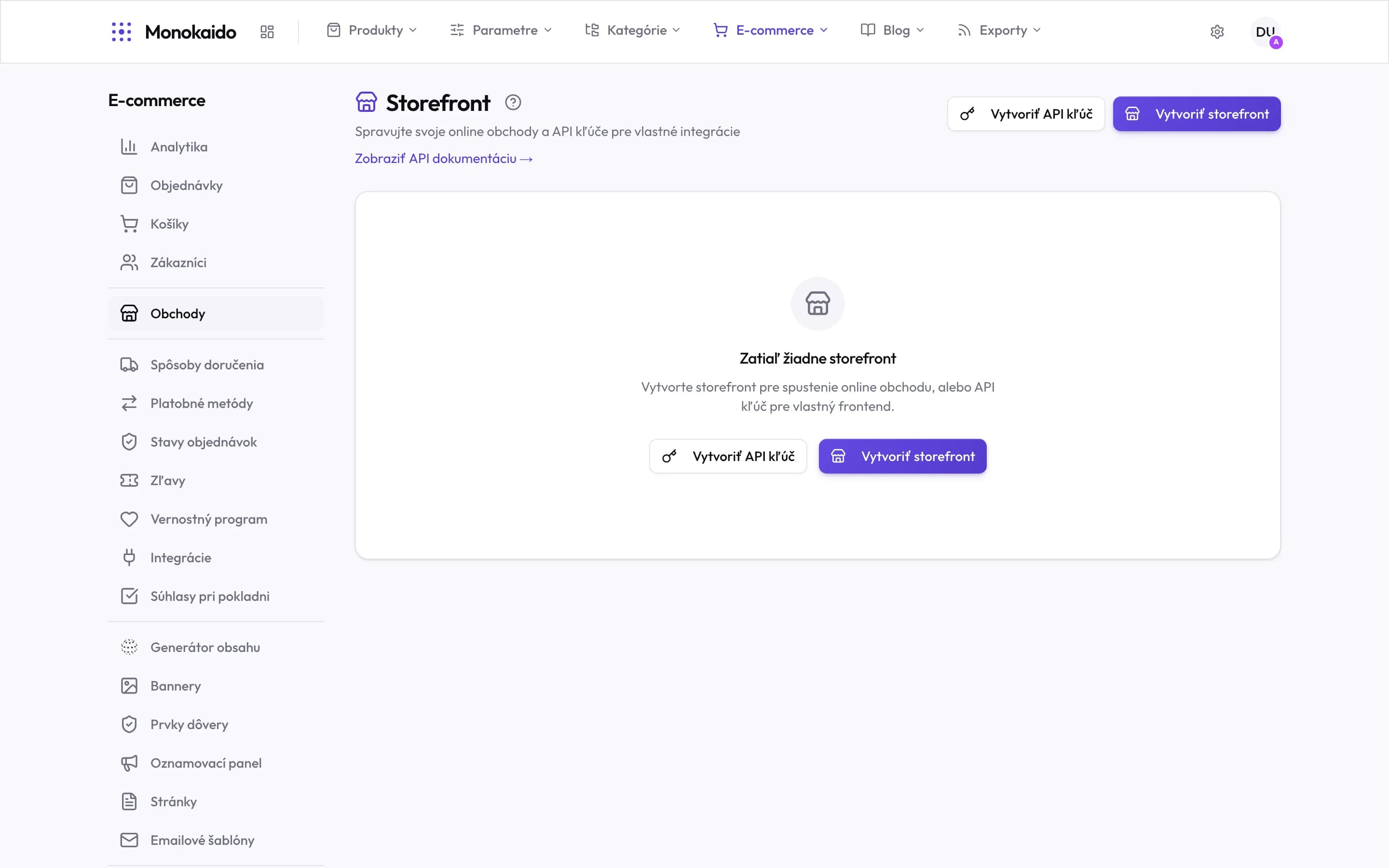
Controls on this screen
- Two things at once — Storefronts (a ready-made shop) and API keys (your own front end). Not two ways to do the same thing — two different routes.
- Create storefront — A shop running on Monokaido. The domain, look and content are configured afterwards.
- Create API key — Access for your own front end. It takes the catalogue over the API and you own the presentation.
- API documentation — Opens the interface reference. This link is for a developer, not for an operator.
- Empty state — Until one exists, the catalogue is published nowhere — the module is on but has no output.
- Where it lives — In the left ecommerce menu under Shops, straight after customers.
What a storefront defines
| Field | What it does | Note |
|---|---|---|
| Name | The internal name. | |
| Domain | The address the shop runs at. | It also decides which links appear in emails and exports. |
| Language | The default content language. | From the languages in Settings → Languages (Opens in a new tab). |
| Currency and region | What it charges in and where it sells. | Tied to Regions (Opens in a new tab) — tax and shipping follow from them. |
| Access key | The secret string the shop authenticates with. | Shown once, at creation. Store it immediately. |
What is shared and what is per shop
| Layer | Example | Where it is configured |
|---|---|---|
| Shared across storefronts | Products, parameters, categories, brands. | The Products, Parameters and Categories sections. |
| Per storefront | Domain, language, currency, content, emails, shipping and payments. | The E-commerce section. |
Storefront design
You put together the look of storefronts on Storefront v2 in the E-commerce → Storefront Builder (Opens in a new tab) editor: the home page sections, the shop style, colours, fonts, corner radius, buttons and the product card, with a live preview and proposals from Monokaido AI. Storefronts on Storefront v2 carry a v2 badge in the list and an Edit design button that opens the editor for that storefront.
The whole editor, the two design levels (the company default design and a storefront), publishing and versions are covered in Storefront design. How to switch a storefront from the classic storefront is in Switching a storefront to Storefront v2.
Catalog mode
A storefront on Storefront v2 can be a catalog: shoppers browse the products and their prices, but cannot buy anything. In place of the buy button the product page can offer an inquiry form, through which they ask about the product. Useful, for example, when you sell to businesses on a quote, or for goods sold in the store only.
Catalog mode is switched on per storefront. Open the storefront in E-commerce → Storefronts (Opens in a new tab), switch on Catalog mode in the Storefront Settings card, then Save Changes. The switch sits right below the Storefront v2 switch and shows only while Storefront Enabled and Storefront v2 are both on — the classic storefront has no catalog mode, and neither has a key that only connects your own front end.
| What changes in the shop | Details | Note |
|---|---|---|
| No buy button | It disappears from the product page (and from the bar that sticks while scrolling), from the product cards and from the quick view. | Products and prices stay visible. |
| No cart and no checkout | The cart icon and its side panel disappear; the cart and checkout pages do not exist. | The loyalty points for a purchase and the order links in the customer account disappear too. |
| Inquiry form | In place of the buy button, when you switch it on in the shop design. | The inquiries sent are in Contact forms. |
Once saved, the switch shows a Set up the inquiry form link, which opens the builder for this storefront. The form shows in the shop only once you switch it on there and publish the design — until then the place of the buy button stays empty.
If you switch the storefront back to the classic storefront, or switch off Storefront Enabled, catalog mode stops applying: the classic shop sells again, and a front end of your own connected with the key is not refused anything. When you return to Storefront v2 with the storefront enabled, the switch comes back as you left it.
I lost the key.
It cannot be shown again. Create a new one and replace it in the shop; revoke the old one.
Can two shops have different prices?
Prices belong to the catalogue, but currency and region belong to the shop — so conversion and tax do differ.
Will the second shop see the first one's orders?
Orders belong to the storefront they were placed on, and can be filtered by it.
A shopper in a catalog saw “This shop does not take orders online”.
They still had a page open from before catalog mode was switched on and tried to add a product to the cart. Monokaido refused the purchase; once the page is reloaded, the buy button is gone.