

Blog
Why a PIM has a blog, how it connects to the catalogue, and what the module adds.
Requires the module Blog
On this page
A blog inside a product-data system is not a detour. The articles are here because they know the catalogue: they can refer to a specific product, category or brand, and when the product changes the reference in the article still holds.
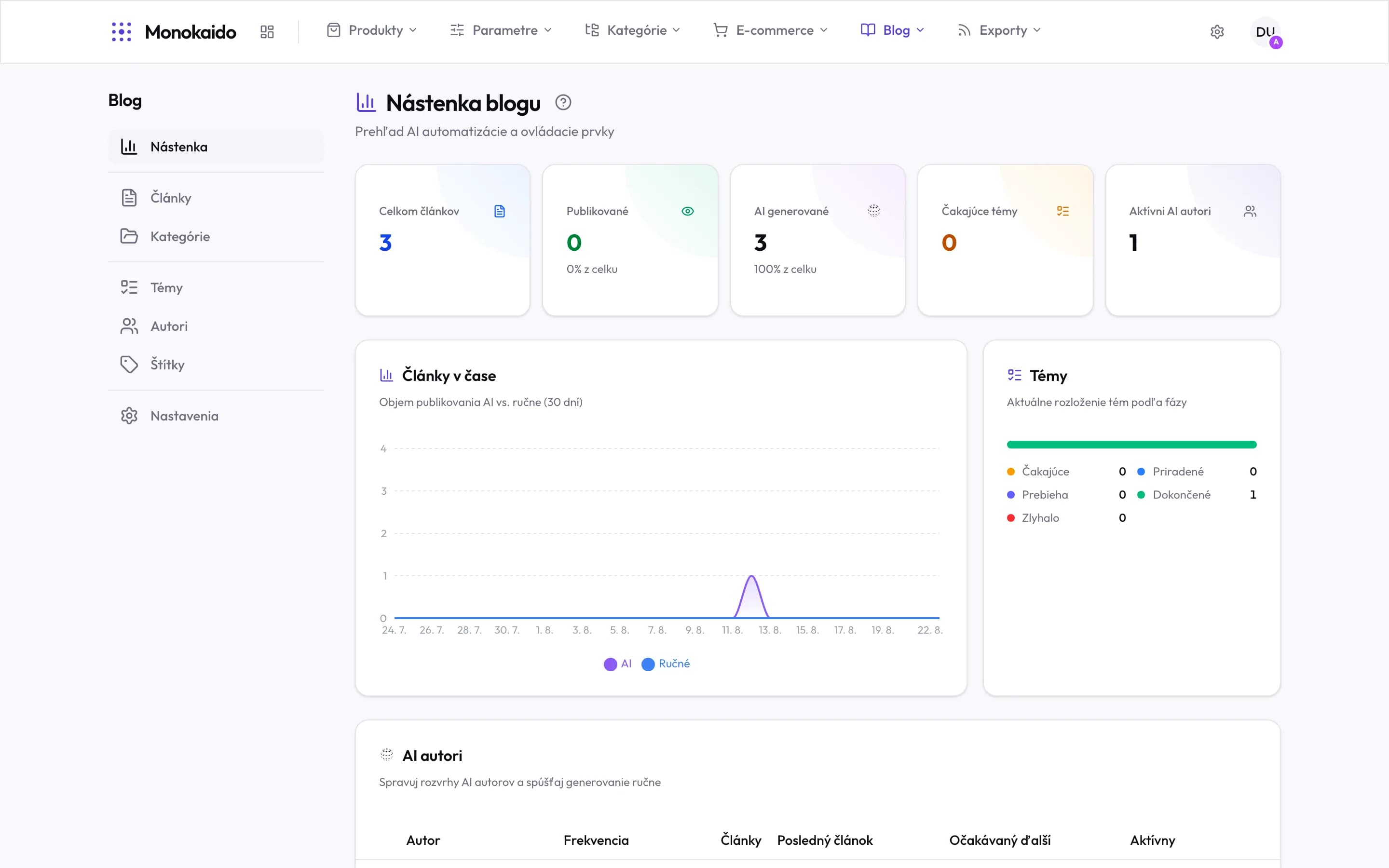
Controls on this screen
- Dashboard — The automation overview. This is where you see whether the blog is writing itself.
- Articles — Everything produced — drafts awaiting review included.
- Categories — Two levels: a group and the categories inside it.
- Topics — The pool of briefs. Without topics, AI authors have nothing to write about.
- Authors — A byline and a schedule. An AI author is what sets the blog going.
- Tags — A flat list of themes cutting across categories.
- Settings — The master automation switch, the translation languages, and whether articles publish straight away.
How it works
A topic
An idea reaches the topic pool — either you add it, or the system proposes it from the catalogue.
An article
The topic becomes an article. You write it, or have it generated and then edit it.
Publishing
It appears in the shop at an address derived from its section and title.
The chapters in this section
| Chapter | Answers the question | Note |
|---|---|---|
| Blog overview | What is in progress and what awaits approval? | |
| Articles | How do I write, edit and publish an article? | Including links to products. |
| Topic pool | Where do the ideas come from? | The heart of the automation. |
| Sections | How are articles grouped? | |
| Authors | Whose name is on the article? | |
| Tags | How do I label across sections? | |
| Blog settings | How often, how long, and in what tone? | Including the approval mode. |