

Manual categories
Managing the categories you created — their order, the mappings pointing into them, and the template they carry.
Available to roles Admin, EditorOpen in the app (Opens in a new tab)
Where By vendor shows what the feeds brought, this tab shows only what you created. It is your commercial tree, without the noise of a thousand vendor branches.
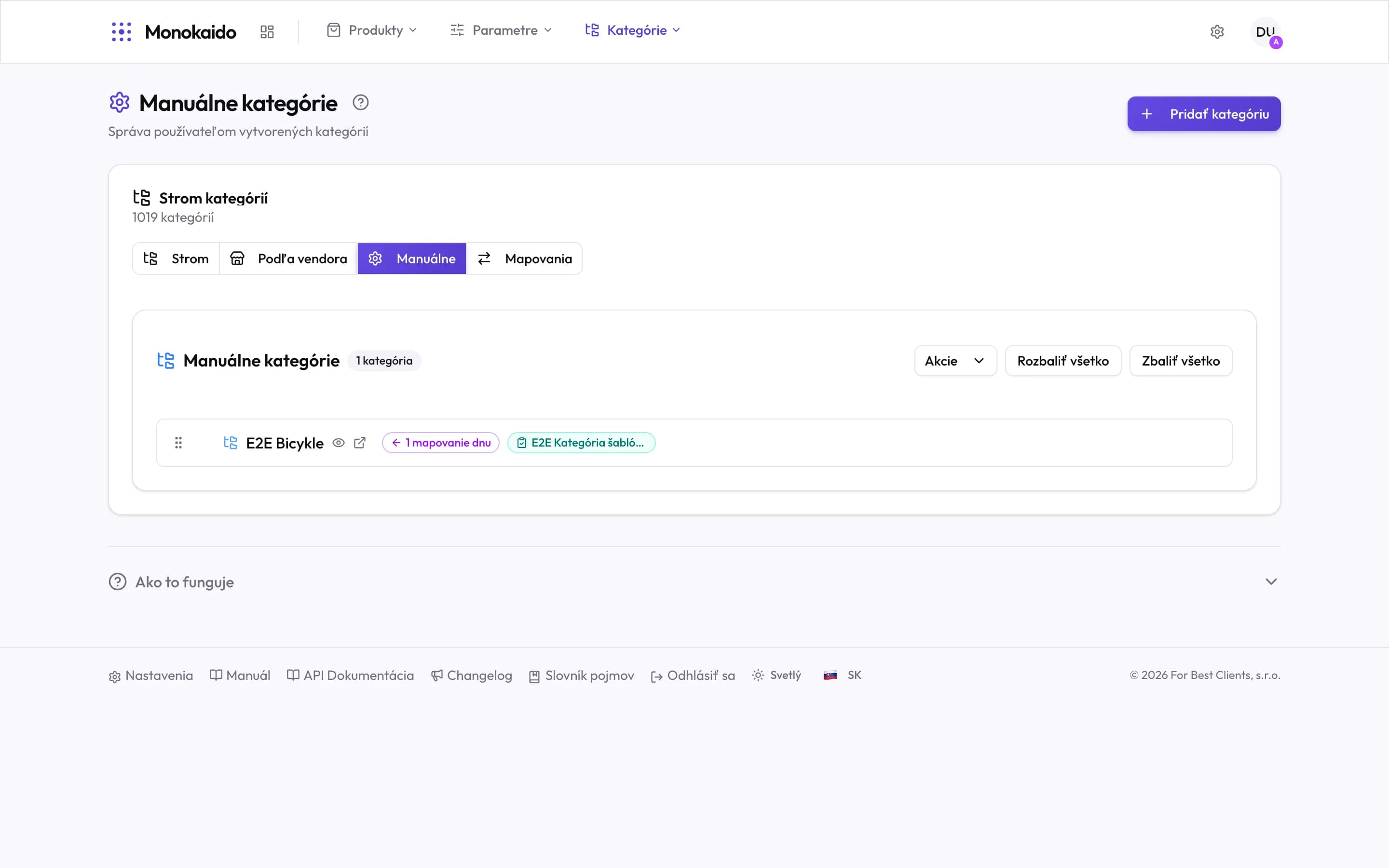
Controls on this screen
- Manual — The third tab of the Categories section.
- Your category count — Compare it with the total above — the difference is vendor branches.
- Actions — Bulk operations over your own categories.
- Expand all — Unfolds your whole tree at once.
- Drag handle — Category order is changed by dragging — and it is the order they appear in the shop.
- Visibility — The eye icon toggles whether the category is visible in the shop.
- Open in the shop — Jumps to a preview of this category as a customer sees it.
- Mappings in — How many vendor categories file into this one. Zero means no import will ever put anything here.
- Attached template — The parameter prescription that reaches products through this category.
What the badges tell you
The badges are what make this screen a diagnostic rather than just a list:
| Badge | What it means | When it is missing |
|---|---|---|
| Mappings in | How many vendor categories file into this category. | The category stays empty until something is mapped into it — see Category mappings. |
| Template | Which parameter prescription products here receive. | Products will have no completeness measure at all — see Parameter templates. |
Why are there only a few categories when the header says 1,019?
The total includes vendor categories. This tab shows only the ones you created.
I created a category and it is empty.
No mapping points into it. Either attach a vendor category to it, or place products there some other way.
How do I hide a category without deleting it?
The eye icon. The category and its mappings stay; it just does not appear in the shop.