

Email templates
The wording of automatic customer emails, their variables, and the preview before sending.
Automatic emails are the one part of the shop that writes to a customer by itself. A template is their wording — and since it will be sent a hundred times, it is worth spending the time on it once.
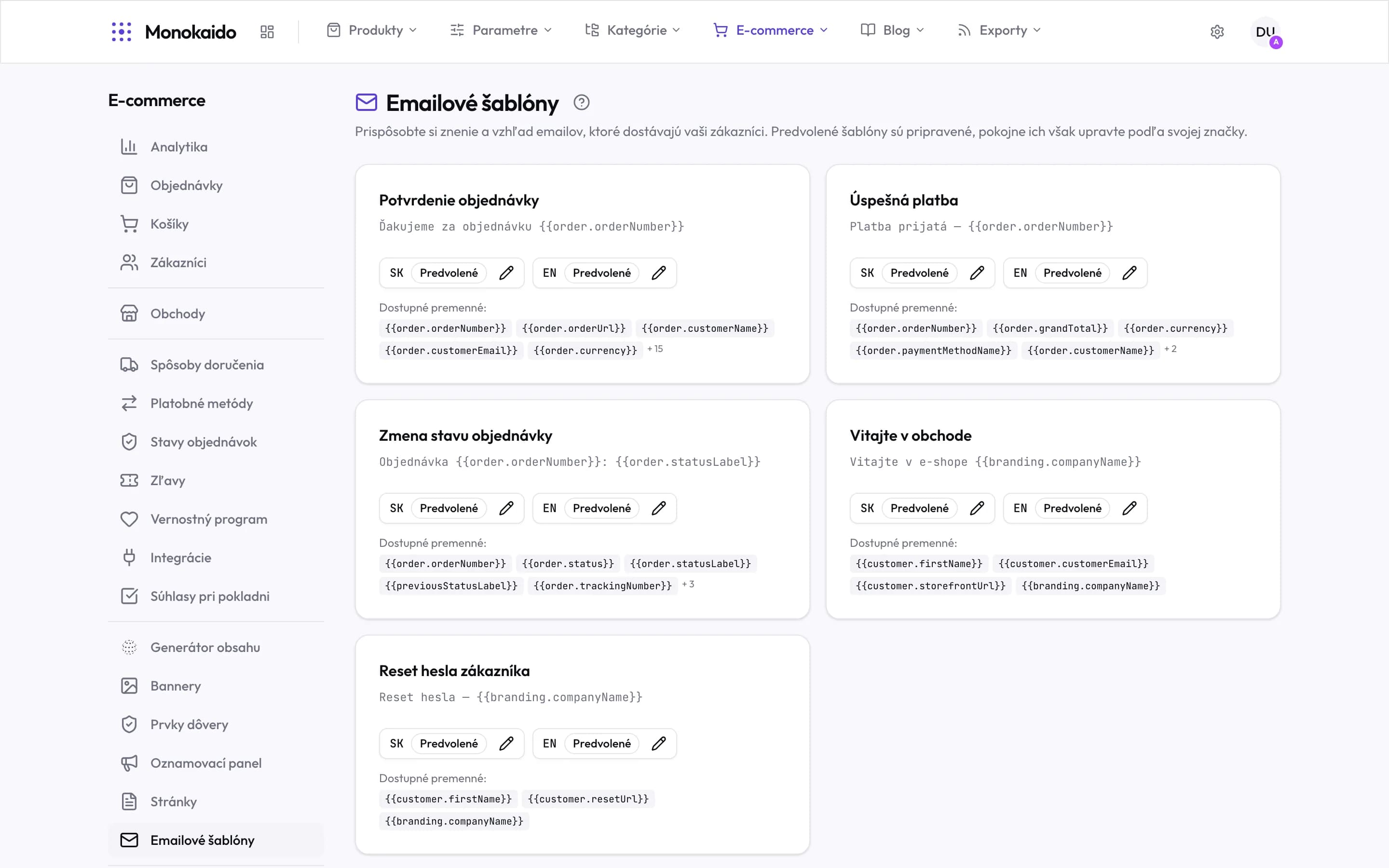
Controls on this screen
- The defaults are ready — The shop sends emails without you touching any of this. Editing is a choice, not a precondition for launch.
- Kind of email — When it goes out. Order confirmation, successful payment, status change, welcome, password reset.
- Subject — A preview of the subject with its variables — what the customer sees in their inbox.
- Language versions — Each language has its own wording. The badge says whether it is the default text or yours.
- Edit — The pencil opens that language's editor.
- Available variables — What the template can substitute. A variable outside this list stays in the email as literal text.
- The rest of them — The number beside the chips means more variables — the order confirmation has fifteen further ones.
- Not only order emails — The customer password reset belongs here too — it is the shop's email, not Monokaido's.
A template has a type and a language
Every email type (order confirmation, dispatch, password reset) exists separately in every shop language. That is why the screen's address carries both — the type and the locale.
| Field | What it does | Note |
|---|---|---|
| Subject | The line the customer sees in their inbox. | Include the order number — it is how they find the message again later. |
| Body | The text itself, with variables. | |
| Variables | Placeholders replaced with real values. | Order number, name, items, total, tracking link. |
| Active | Whether the template is used. | An inactive template means the email is not sent. |
The customer received no email.
Check that the template is active, that the order status has a template attached, and that the message did not land in spam.
Can an email be sent by hand?
Automatic templates are bound to events. Send a one-off message from your own mailbox.