

Carts
Open and abandoned carts — what is in them and when they are discarded.
A cart is an order that did not happen. Most of them never will — and that is normal. What is useful is seeing where people leave and what they were holding.
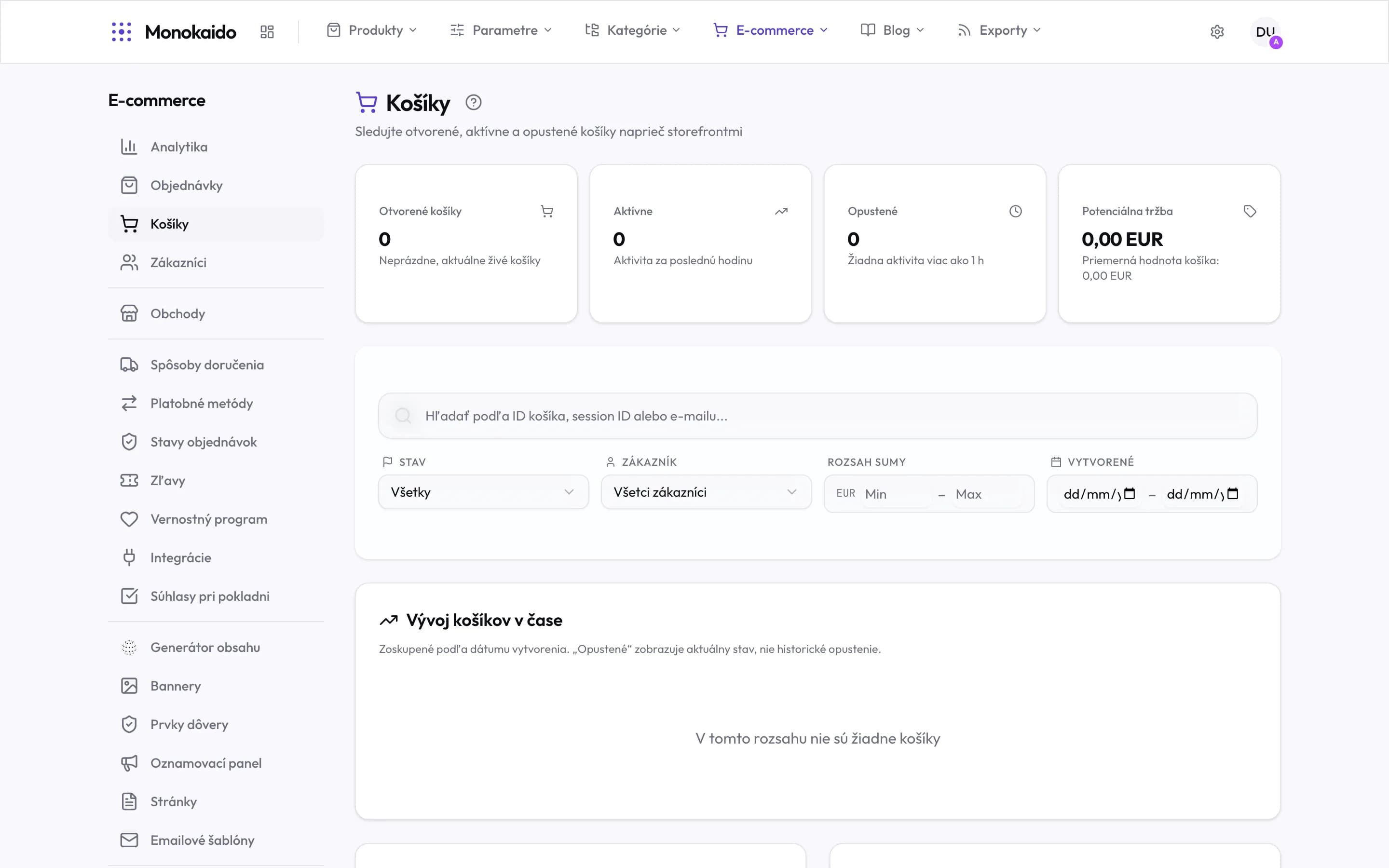
Controls on this screen
- Open carts — Non-empty, currently live carts. This is a state, not a history.
- Active — Activity in the last hour — people shopping right now.
- Abandoned — No activity for over an hour. The threshold is fixed, not configurable.
- Potential revenue — The value of open carts and the average per cart. Not a promise — an upper bound.
- Search — By cart id, session id or email.
- Status — Open, active, abandoned — the same split as the cards above.
- Customer — A signed-in customer versus an anonymous visit.
- Amount range — From–to. A large abandoned cart deserves different handling from a small one.
- Created — When the cart came into being.
- The caveat that matters — The chart groups by creation date, and "abandoned" in it means the current state — not abandonment on that day.
What you find here
| Field | What it does | Note |
|---|---|---|
| Cart contents | The items and their value. | An abandoned cart with a high value is the most interesting row on the screen. |
| Customer | The account, if they were signed in. | Without a sign-in the cart is anonymous. |
| Last activity | When something last happened to the cart. | It separates "shopping right now" from "left a week ago". |
| State | Active, abandoned, converted to an order. |
How long are carts kept?
Inactive carts are removed automatically after a while. Ones converted to an order stay as part of that order.
Can I remind a customer about an abandoned cart?
A reminder email is one of the template types in Email templates.