

Topic pool
The queue of topics articles are generated from — how it is filled, approved and worked through.
On this page
A blog meant to appear regularly always founders on the same thing: nobody knows what to write about. The topic pool is the answer — a list of ideas prepared in advance, from which articles are generated without anyone inventing a subject at each publication.
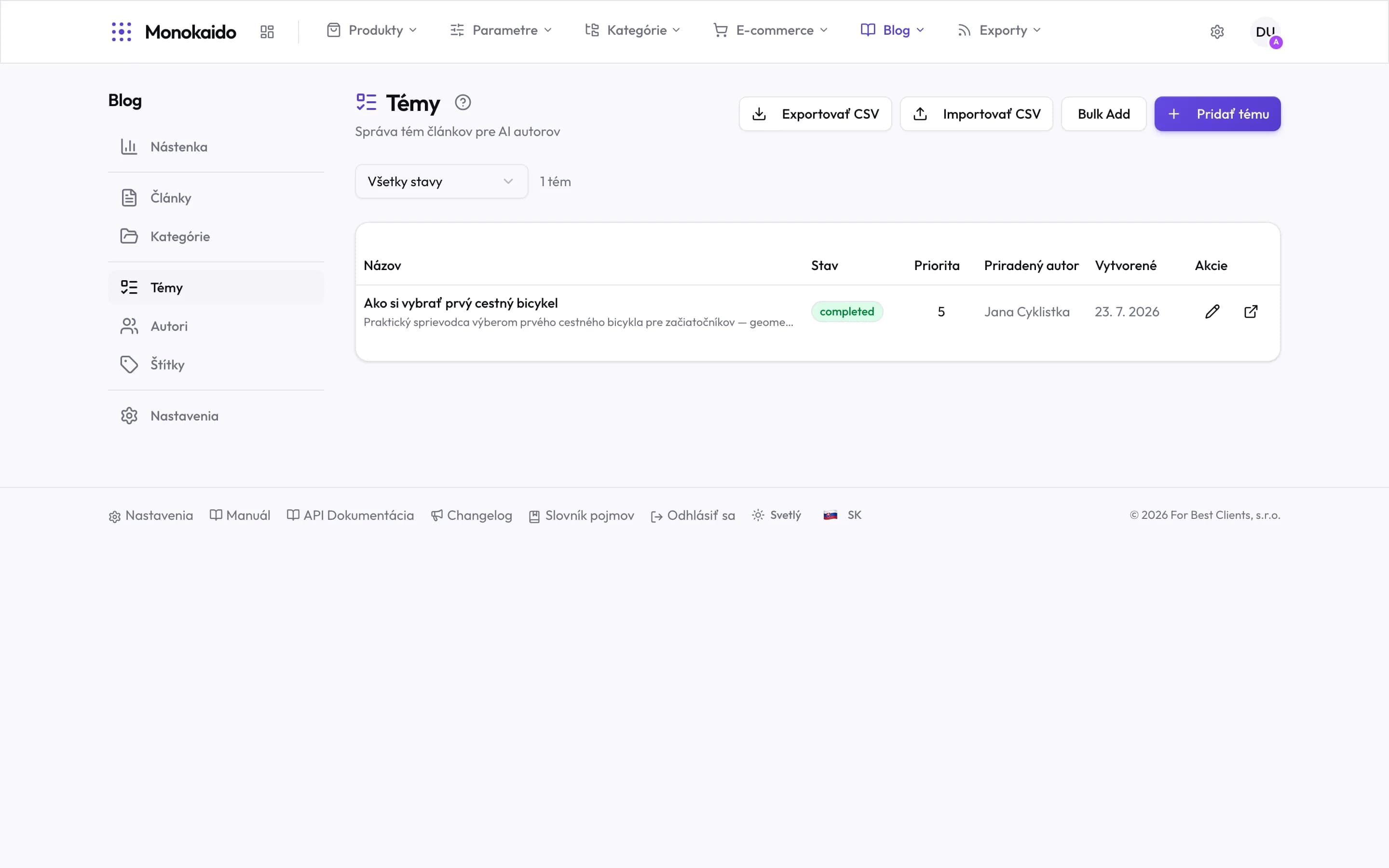
Controls on this screen
- Add topic — One topic. A title and a short brief of what the article should cover.
- Bulk add — Several topics at once, by typing. Faster than adding them one by one.
- Import CSV — A pool prepared outside the application — typically the output of keyword research.
- Export CSV — The whole pool out, for review or archiving.
- Status filter — Pending, assigned, in progress, done, failed.
- Topic count — How many topics match the filter. This number is the work queue for your AI authors.
- Title and brief — The brief is the instruction to the AI. The more specific it is, the less generic the article.
- Status — A completed topic already has its article. No new one is generated from it.
- Priority — The order topics are taken in. A higher number goes first.
- Assigned author — Which AI author will handle it. Unassigned, a topic waits.
- Open article — On a completed topic this goes straight to the article it produced.
Where topics come from
| Source | How it arises | Note |
|---|---|---|
| From the catalogue | The system proposes topics from what you actually stock — categories, brands, product groups. | The best source: the topic can be tied to specific products. |
| By hand | You write the topic yourself. | For seasonal and campaign pieces the catalogue cannot know about. |
| In bulk | Several topics at once. | Practical when planning a quarter of content. |
The life of a topic
Proposed
The topic is in the pool but nothing is generated from it yet.
Approved
You have confirmed it is worth writing about. Only approved topics come up for generation.
Used
An article came from it. The topic stays in the pool as a record that it has been used.
Rejected
You do not want this written. The system will not propose it again.
How often are articles generated from topics?
At the frequency set in Blog settings.
Can I edit a topic before it is generated?
Yes. The more specific the brief, the better the resulting article — a general topic produces general text.
Will several articles come from one topic?
No. A used topic is marked and not reused.