

Sections
Grouping articles into sections and their addresses in the shop.
A section is the blog's main division. An article belongs to one section — for free labelling across sections there are tags.
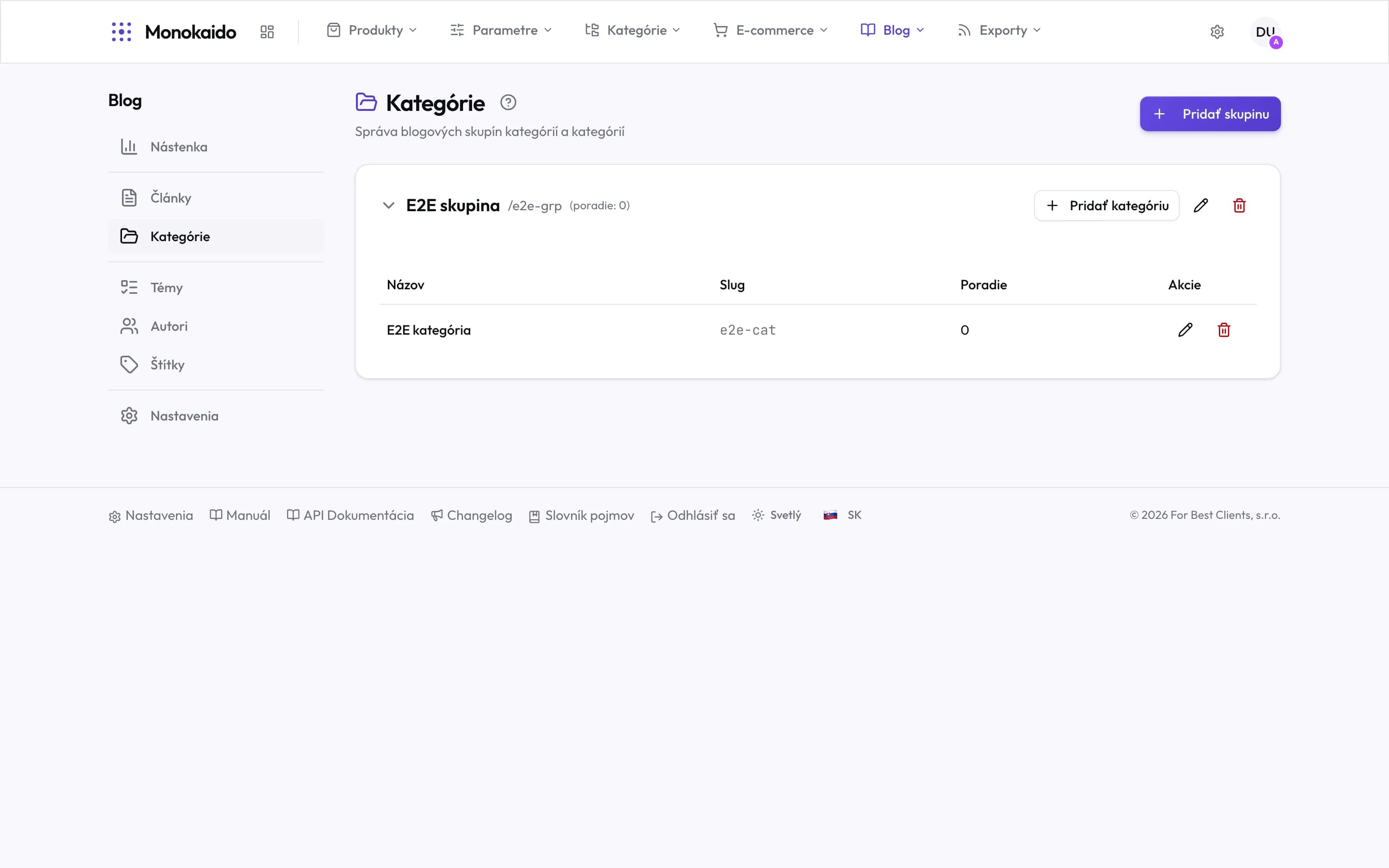
Controls on this screen
- Add group — The top level. A category cannot be created without one.
- Expand — The arrow hides or shows the categories in the group.
- Group name — The reader sees this in the shop.
- Slug and order — The slug is the address in the shop; the order decides its place in listings. Change a slug before anyone links to it.
- Add category — Adds a category into this group specifically — not another one.
- Category — Articles are filed here. An empty category does not appear in the shop.
- Actions — Edit and delete. Deleting a category does not delete its articles, only their filing.
What a section holds
| Field | What it does | Note |
|---|---|---|
| Name | What a reader sees in listings and in the blog's navigation. | |
| Address (slug) | The part of the address the section's articles live under. | Change it after publishing only deliberately — it breaks links to every article in the section. |
| Description | Short text in the section's header. | Helps readers and search engines alike. |
| Order | The order sections appear in. |
Can an article be in several sections?
No. That is exactly what tags are for.
I deleted a section — what about its articles?
The articles remain but lose their filing. Give them another section, or they will not appear in the blog's navigation.