

Parameters in the shop
Which parameters are visible in the shop, which are filterable, and in what order they are listed.
A catalogue can carry forty parameters on a product. A customer should see eight and filter by three. This screen is about exactly that gap — and it is not solved by deleting parameters from the catalogue.
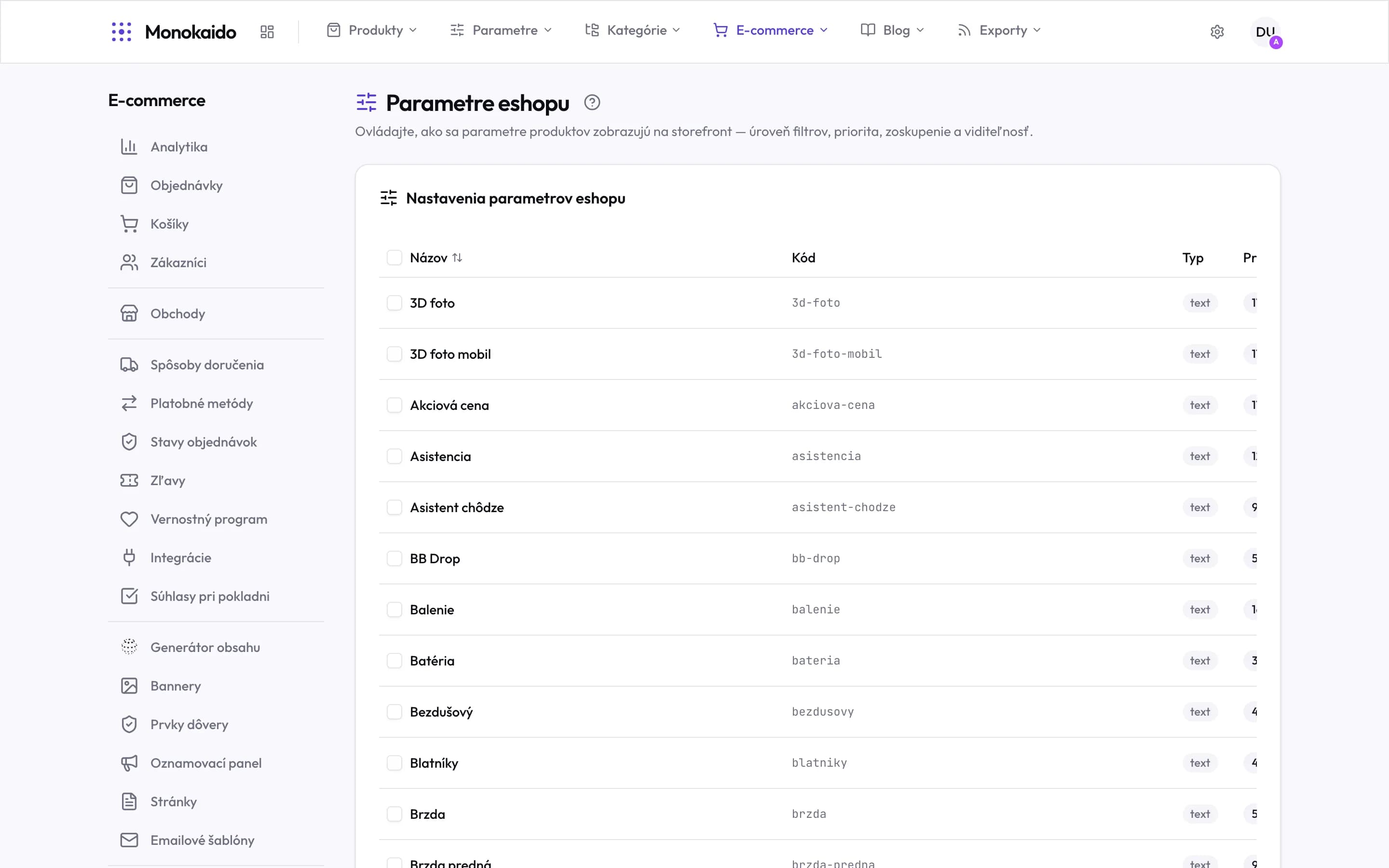
Controls on this screen
- What the screen controls — The filter level, priority, grouping and visibility of a parameter in the shop. The values themselves are set under Parameters.
- Bulk selection — Ticking rows changes visibility or priority for all of them at once — with hundreds of parameters it is the only sane route.
- Sorting — The arrow beside the name sorts alphabetically. Faster than scrolling when hunting for one parameter.
- Code — The machine name. This exact form is what appears in a filter's URL in the shop.
- Type and priority — The type says how a value is rendered; the priority how high the parameter appears. The table continues to the right — it scrolls horizontally.
Three independent switches
| Switch | What it does | Note |
|---|---|---|
| Visible | The parameter appears in the table on the product. | Leave internal and technical parameters hidden. |
| Filterable | It appears among the filters in a category. | Only worthwhile on a parameter with few distinct values. |
| Highlighted | It appears in listings too, not just the detail. | Use it for the one or two parameters that decide a choice. |
The parameter is visible but not in the shop.
The product probably has no value for it. Empty parameters are not shown.
The filter has thirty options.
Either the values are not unified, or it is a parameter unsuited to filtering — an exact dimension, for example.