

Category mappings
Matching a vendor's categories to your tree — AI suggestions, bulk confirmation, and the effect on products.
This is the bridge between the two trees. A vendor sends a category called "Road bikes — carbon"; your shop has "Bikes → Road". A mapping says the first belongs in the second — and from then on all of its products file themselves there, including the ones that arrive tomorrow.
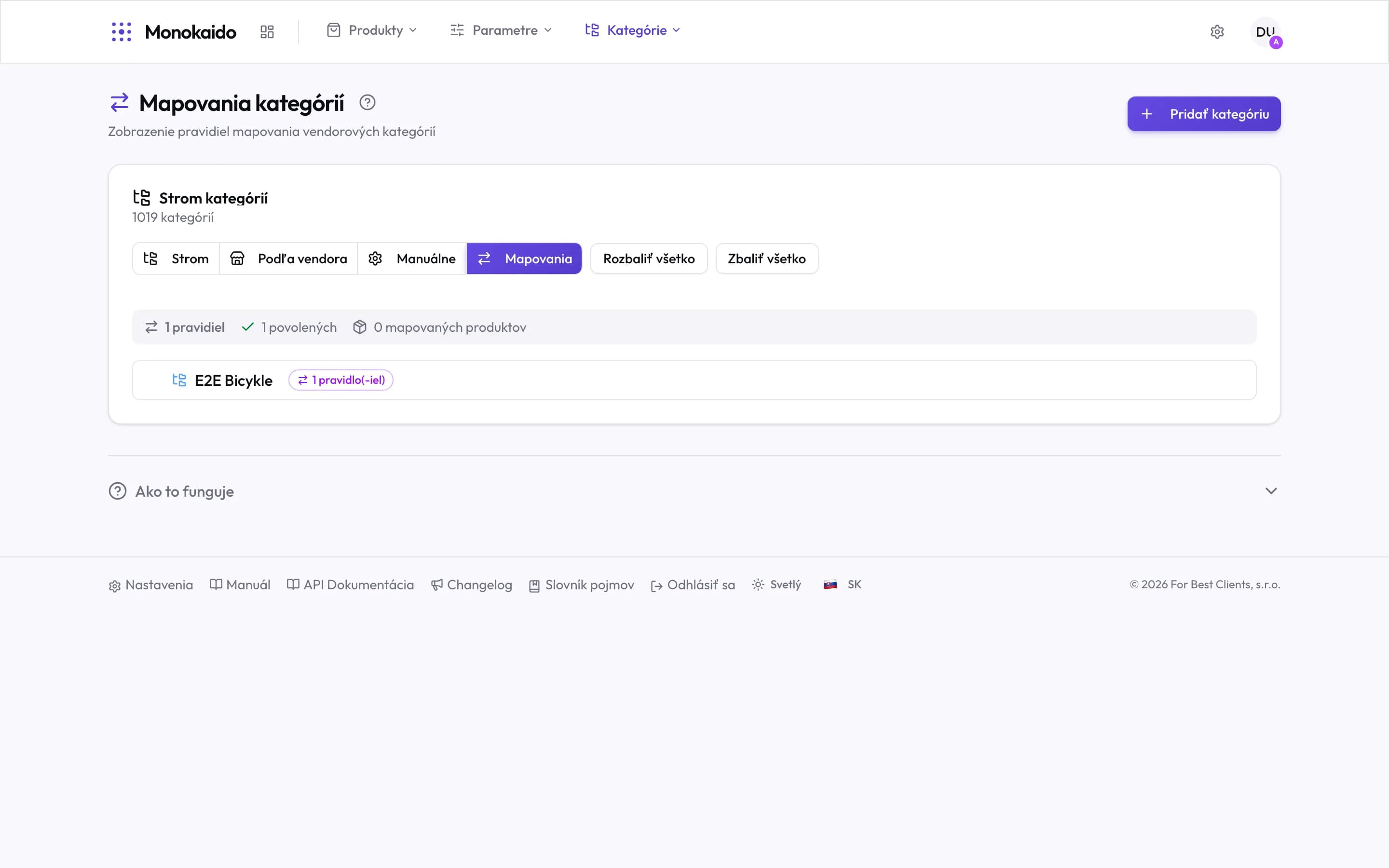
Controls on this screen
- Mappings — The fourth tab of the Categories section. The first three show trees; this one shows the bonds between them.
- Rule count — How many mappings are configured.
- Enabled — How many of them are active. A disabled rule stays written down but files nothing.
- Mapped products — The real impact. Zero with rules present means the filter is catching nothing.
- Target category — Your category, the one the rules file into.
- The category's rule count — Several vendors' categories can point at one of yours — and usually do.
- Add category — When the target category does not exist yet, you create it from here.
- How it works — A summary of the procedure, on the screen.
Why a category is mapped, not a product
Filing products one by one is impossible at tens of thousands, and mostly pointless: the vendor already filed them. A mapping takes their work and translates it into your structure — once, for a whole category. A new product arriving in that same vendor category is filed with no further intervention.
The procedure
Let the AI propose
The AI compares names and structure and proposes where a category belongs. On clear cases its hit rate is high.
Review the proposals
Watch for categories that sound alike but are not the same — "Accessories" from a bicycle vendor and from an electronics vendor.
Finish the rest by hand
Categories with unhelpful names have to be placed by what is actually in them. Looking at a few products in By vendor helps.
Products have a vendor category but none of mine.
That vendor category is not mapped. In the product list it is the row marked "No manual category".
I have 1,000 vendor categories. Must I map them all?
No. Map the ones that hold products and that you want in the shop. The rest can stay unmapped with no consequences.
Can a mapping be switched off temporarily?
Yes — a rule can be disabled without deleting it. The summary then shows a lower enabled count.