

Brands
Unifying manufacturer names across feeds, logos, and the margin set at brand level.
On this page
A brand is a manufacturer. The trouble is that three vendors write the same manufacturer three ways — and the customer then sees three brands in the filter instead of one.
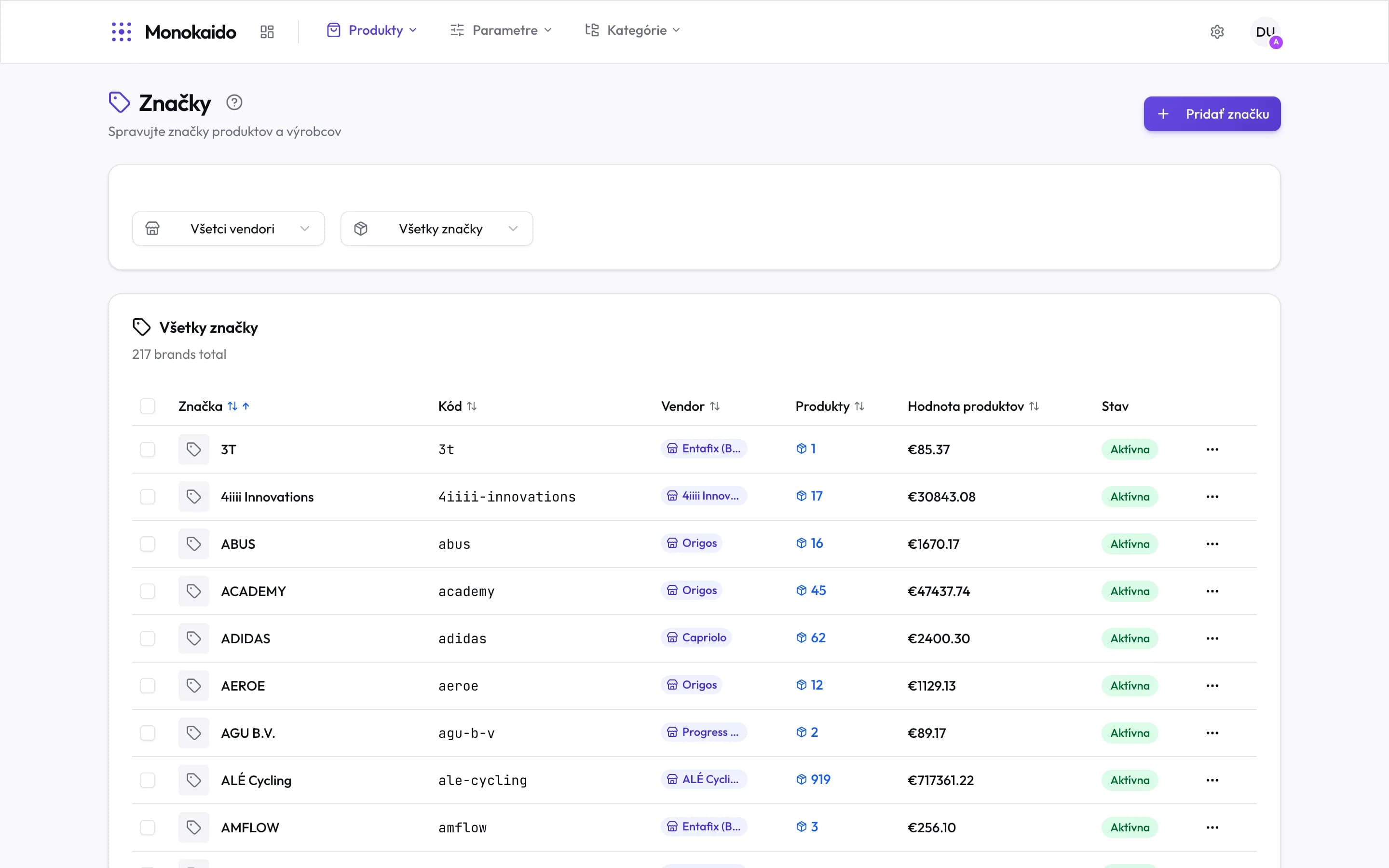
Controls on this screen
- Add brand — Creating a brand by hand, when no feed brought it.
- Vendor filter — Shows one feed's brands. The first step in hunting duplicate names.
- Brand count — A high figure on a small catalogue means the names were never unified.
- Brand and sorting — Sorting alphabetically puts variants of the same name next to each other.
- Code — The brand's machine identifier — used in filters and exports.
- Vendor — Which feed the brand came from.
- Products — How many products carry the brand. A brand with one product is usually a typo.
- Product value — The price total. It shows which brands matter to the catalogue.
- State — An inactive brand is not offered as a shop filter.
- Row menu — Edit, merge into another brand, delete.
Unifying names
Sort alphabetically
Variants of one name land side by side: "Shimano", "SHIMANO", "Shimano Europe".
Decide which is right
Usually the one with the most products — but check how the manufacturer writes its own name too.
Merge the rest into it
The products move to the chosen brand.
Margin at brand level
A brand can carry a default margin. It is used at import when the feed sends no purchase price: the purchase price is derived from the selling price as purchase = selling ÷ (1 + margin/100).
Why do I have 217 brands?
They came from the feeds. Every new manufacturer name creates a brand; unifying them is manual work nobody does for you.
I merged brands by mistake.
The products can be moved back by recreating the original brand and reassigning them — but that is manual work. Check the product count before merging.