

Import logs
How each import went: how many products were added, changed and failed — and why.
On this page
When something is missing from the catalogue, or something changed without you touching it, the answer is almost always here. An import log is the record of one run of one vendor: what was downloaded, what the system accepted, and what it threw away.
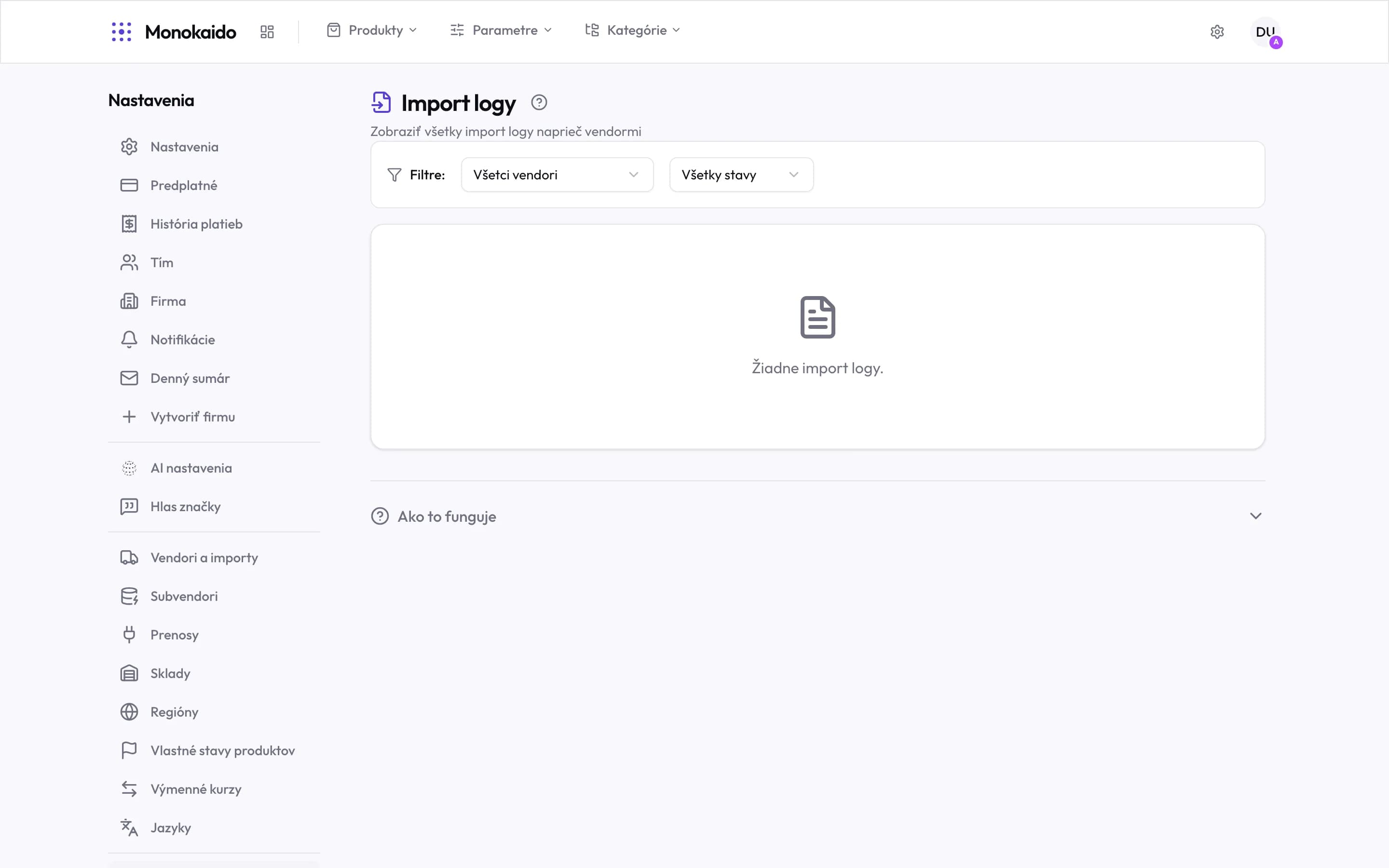
Controls on this screen
- Filter by vendor — Narrows the logs to one vendor. The first step when chasing a specific feed.
- Filter by state — Leaves only completed, running or failed runs.
- The run list — One row is one run. Clicking it opens the detail with the figures and errors.
- How it works — A collapsible summary of the import flow, right on the screen.
What a log holds
| Field | What it does | Note |
|---|---|---|
| Vendor and time | Which feed, and when the run started and finished. | Duration is the first signal — a run that suddenly takes ten times longer usually hit a change on the vendor's side. |
| State | Completed, running, failed. | A failed run carries an error message; the others do not. |
| Found | How many products the feed contained. | A sharp drop in this figure usually means the vendor sent an incomplete file. |
| Created | How many products were added to the catalogue. | On a second and later run this should be low. A high figure means products did not match the existing ones and were created anew. |
| Updated | How many products changed. | Typically prices and stock. |
| Skipped | How many products the system deliberately did not process. | A missing required field, or an exceeded package limit, for instance. |
| Errors | The specific feed rows that could not be processed. | They expand in the run detail, each with its reason. |
Reading a cause out of a log
Find the vendor's last run
Filter by vendor. Runs are listed newest first.
Look at the state and the duration
A failed run has a message. A run that never finished is stalled — and the next scheduled run will not repair it.
Compare “Found” with the previous run
A sharp drop means an incomplete feed on the vendor's side, not a fault at yours.
Expand the errors
Errors are per row and carry the reason — a missing required field, an invalid price, an unreadable image.
The list is empty even though vendors are running.
Check the filters — usually a single vendor or a single state is selected. If the filter says All vendors and the list is still empty, no import has completed yet; the feeds' state is in Vendors (Opens in a new tab).
An import is taking a very long time. Should I stop it?
Look at Background processes (Opens in a new tab) first — a large feed can legitimately run for tens of minutes. Stopping it is worth considering only once the counters stop moving.
Where do I see what changed on one specific product?
In Changes to review. An import log speaks about the run as a whole; changes speak about individual products.