

Shop settings
The shop's identity, order numbering, tax, stock, and checkout rules.
These are the decisions made once at the start and changed reluctantly after: the shop's identity, the order number series, the tax regime, and what the checkout lets a customer do.
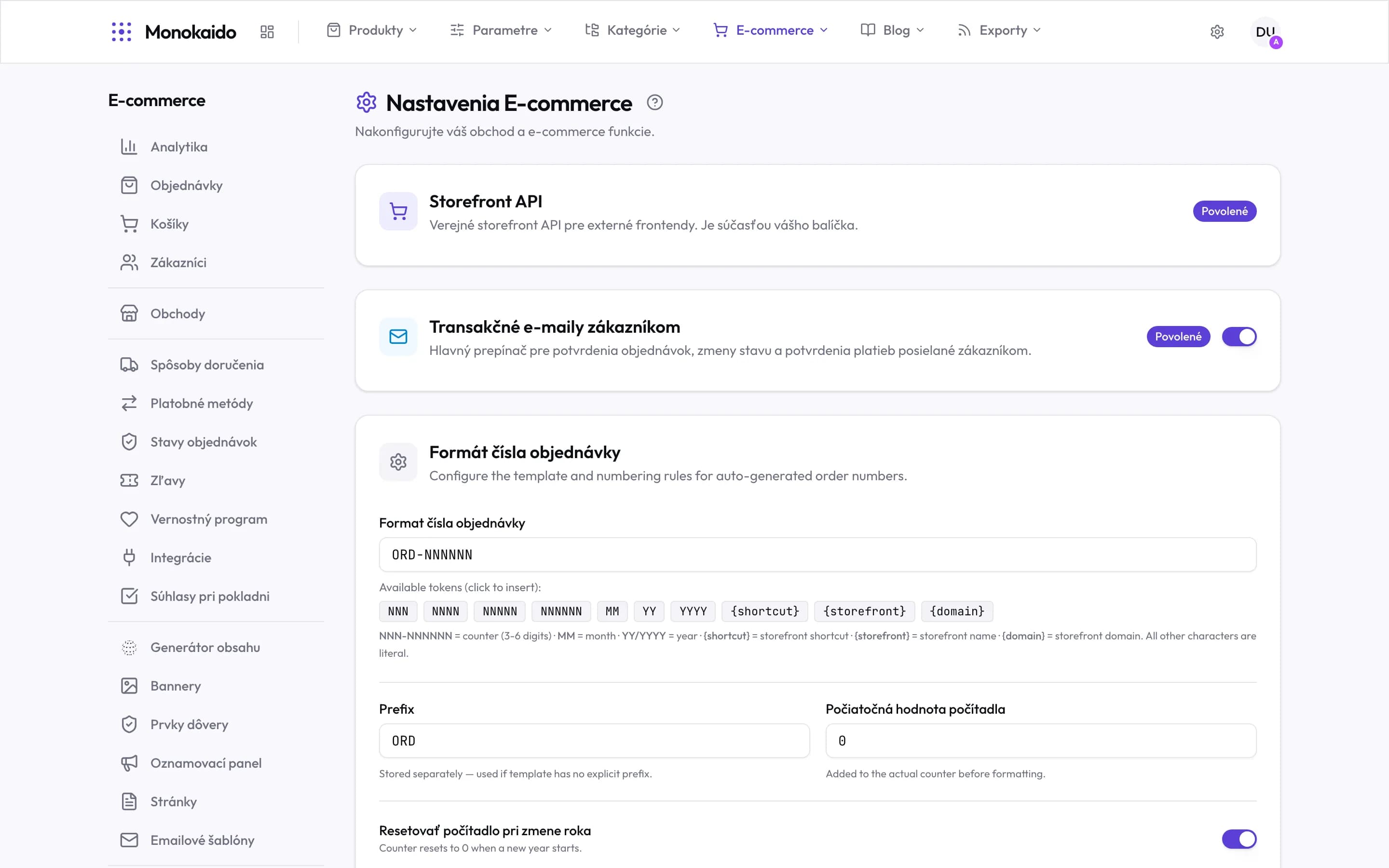
Controls on this screen
- Storefront API — The public interface for an external front end. It comes with the E-shop add-on — it is not switched on here.
- Transactional emails — The master switch for order confirmations, status changes and payment confirmations. Off means silence towards the customer.
- Order number format — How orders are numbered. Worth changing before the first order rather than after.
- Template — The number pattern, ORD-NNNNNN for instance. Characters outside the tokens are literal.
- Tokens — Click to insert: the counter (3–6 digits), month, year, storefront shortcut, name and domain.
- Prefix — Used only when the template carries no prefix of its own.
- Counter start — Added to the counter. This is how you continue numbering from a previous system.
- Reset at year end — The counter returns to zero. Without a year in the template, that means the same number twice.
Identity and documents
| Field | What it does | Note |
|---|---|---|
| Shop name | Appears in emails, on documents and in the header. | |
| Billing details | The company details on an invoice. | Changed only on a genuine change of company — documents already issued stay as issued. |
| Order number format | The pattern of the number series. | Counter, month, year and shop shortcode. Changing the format mid-year breaks the continuity of the series — agree it with accounting. |
| Logo | Used in emails and on documents. |
Tax and prices
| Field | What it does | Note |
|---|---|---|
| Price display | With or without VAT. | Retail with, wholesale without. With several storefronts it is set per shop. |
| VAT rates | Which rates apply. | Tied to Regions (Opens in a new tab). |
| Rounding | How the final total is rounded. |
Checkout and stock
| Field | What it does | Note |
|---|---|---|
| Guest checkout | Whether a customer must have an account. | Compulsory registration lowers the number of completed orders. |
| Overselling | Whether out-of-stock goods can be ordered. | Switching it on means handling delivery dates by phone. |
| Minimum order value | The floor for completing an order. | |
| Stock reservation | When stock is deducted. | At order, or only on payment. |