

Filling in values
Filling missing parameters in a grid, AI extraction from the description, and the toggle that decides about overwriting.
A mapping can only match what the vendor sent. What was never sent has to be filled in — and doing that product by product is impossible at thousands of items. So this screen works on a whole group of products at once, in a grid where every row is a product and every column a parameter.
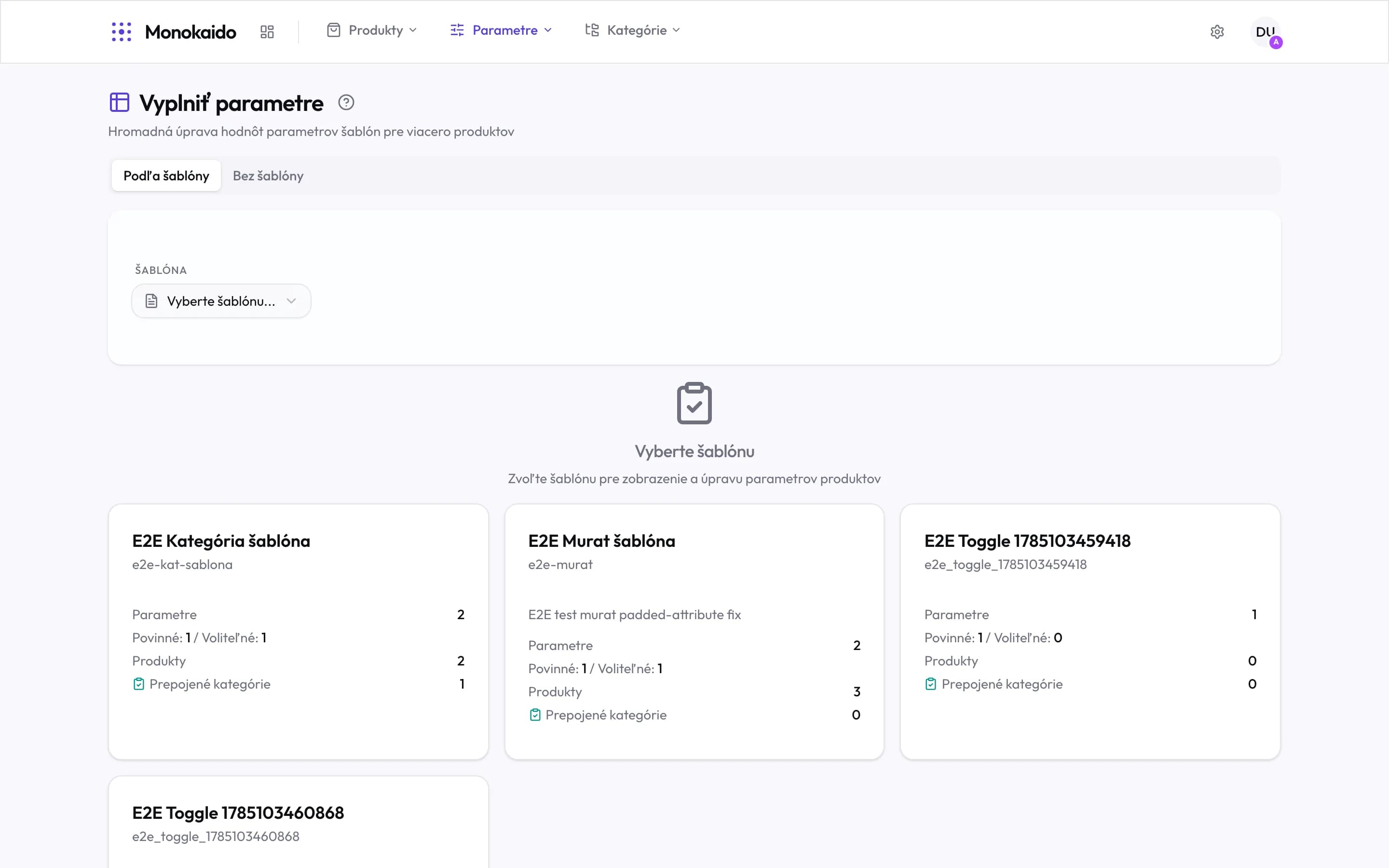
Controls on this screen
- By template — You work on a group of products that share the same parameter prescription.
- Without template — Products with no template at all. This is where the forgotten ones turn up.
- Template picker — The same thing as the tiles below — faster when you know the template by name.
- A template tile — One template = one group of products to fill in.
- Parameters — How many parameters the template prescribes — that is how many columns the grid gets.
- Required / Optional — Required parameters count towards a product's completeness; optional ones do not.
- Products — How many products this template governs. Zero means it is not attached to anything yet.
- Linked categories — How many categories carry this template through to products.
Two ways to fill
| Route | How it works | When |
|---|---|---|
| By hand in the grid | You type into cells as in a spreadsheet. A value can be copied down a whole column. | When you know the values and there are few distinct ones — material within one category, say. |
| AI extraction | The AI reads the product's name, description and photos and fills in the values. | When the values are buried in text. They are saved straight away, with no preview. |
"Without template" is a diagnostic
The Without template tab shows products with no parameter prescription at all. It is not just another filter — it is a symptom: either their category has no template attached, or the products are in no category. Both are fixed elsewhere:
- a category with no template → Parameter templates
- a product with no category → Category mappings
Why does the grid have columns I do not care about?
The template decides the columns. If a parameter does not belong to the category, remove it from the template — not from individual products.
The AI filled in nonsense.
Check the parameter's context in Definitions. A parameter with no explanation and no unit is a riddle to the AI. What the AI filled in shows up in Changes to review, but it cannot be reverted there. Correct bad values by hand in the grid and tick "Overwrite existing values" before saving, otherwise the filled-in value is kept.
Is a change saved immediately?
Yes, once confirmed. Which is why it pays to work in smaller groups rather than across the whole catalogue at once.