

Daily summary
The screen that shows the same numbers as the daily email — and states how each one is counted.
Daily summaries arrive by email. This screen is the verification of those same numbers — open it, pick a day, and see exactly what the email said, along with the definition of how each number is counted. It configures nothing; it answers the question "where did that number come from".
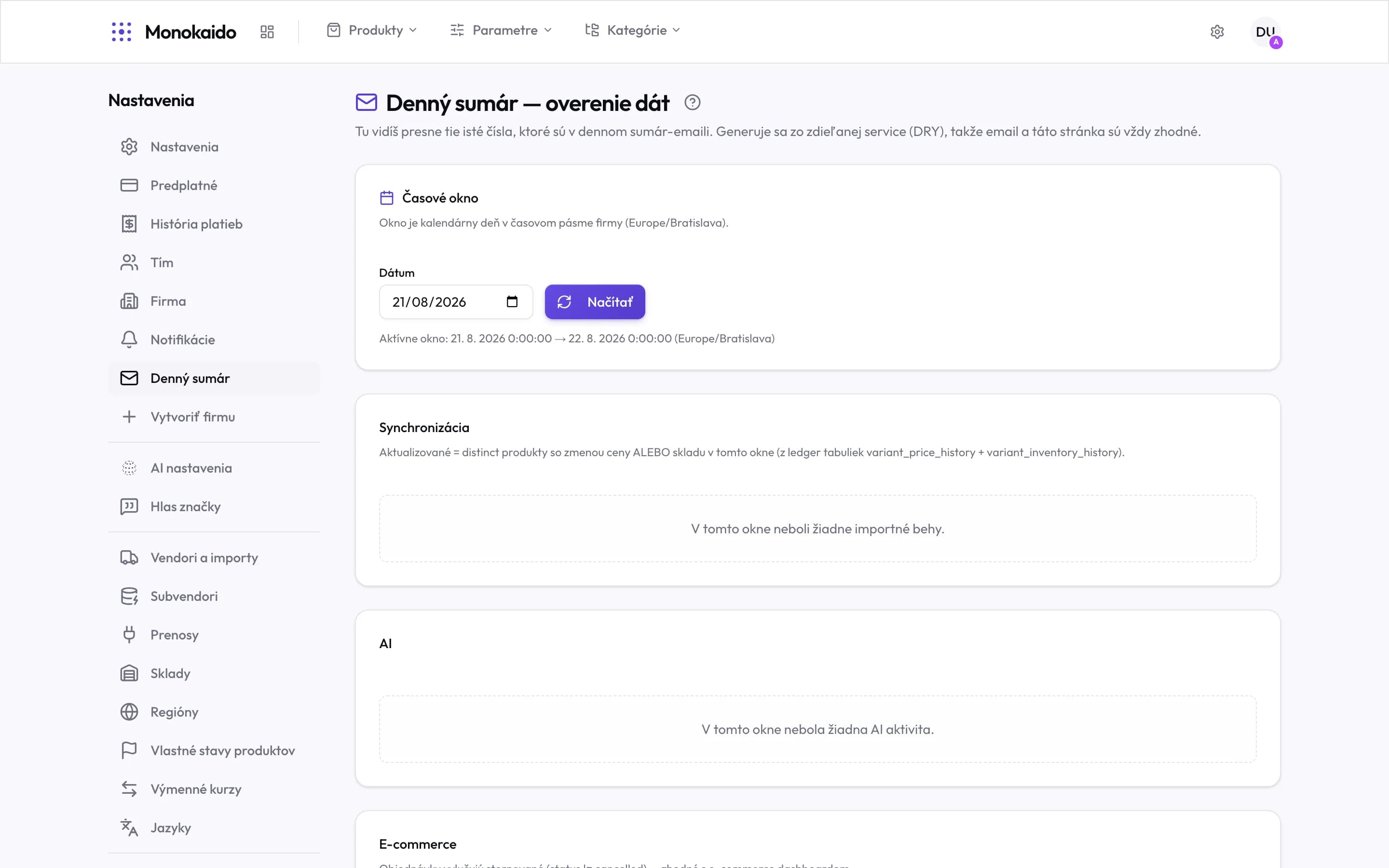
Controls on this screen
- Time window — The window is a calendar day in the company timezone — not in yours.
- Date — The day you want to verify. Typically the one the email covered.
- Load — Recomputes the numbers for the chosen day.
- Active window — The exact boundaries, midnight to midnight. This settles most arguments about the numbers.
- The definition — Each section states what exactly is counted — a rule, not a description.
- An empty section — Means "nothing happened in this window", not an error.
- AI — Descriptions, parameter extractions, translations and tokens spent.
- Ecommerce — Orders, revenue, new customers, abandoned carts. Only with the module on.
What each section counts
| Section | What it holds | What to watch for |
|---|---|---|
| Sync | Import runs, failed runs, new products, updated, enriched, auto-hidden. | "Updated" = products with a real price or stock change — not the number of rows touched. |
| AI | Descriptions, parameter extractions, translations and total tokens. | It agrees with the AI logs for the same day. |
| Ecommerce | Orders, revenue, new customers, abandoned carts. | Orders exclude cancelled ones — the same as the ecommerce dashboard. |
| Blog | Published articles, drafts, AI-generated ones. | Only with the blog module on. |
Where the emails are switched on
Not here. The summaries are four separate notifications, each switched on independently in your account notifications: sync, AI, ecommerce and blog. They go out at 07:00 in the company timezone.
The email and the screen show different numbers.
They should not — both read the same computation. Check you are comparing the same day: the 07:00 email summarises the previous one.
Why is “Updated” lower than the number of products the import processed?
An import walks every product, but only those where the price or stock actually changed are counted. Writing the same value back is not a change.
The ecommerce section is missing.
The company does not have the E-shop add-on on. An empty space would be misleading, so the section does not appear at all.