

Orders
The order list and detail, status changes, documents, and what the customer is sent at each step.
On this page
Orders are the one part of the system with a waiting customer on the other side. Which is why every status change here has an outward consequence — usually an email.
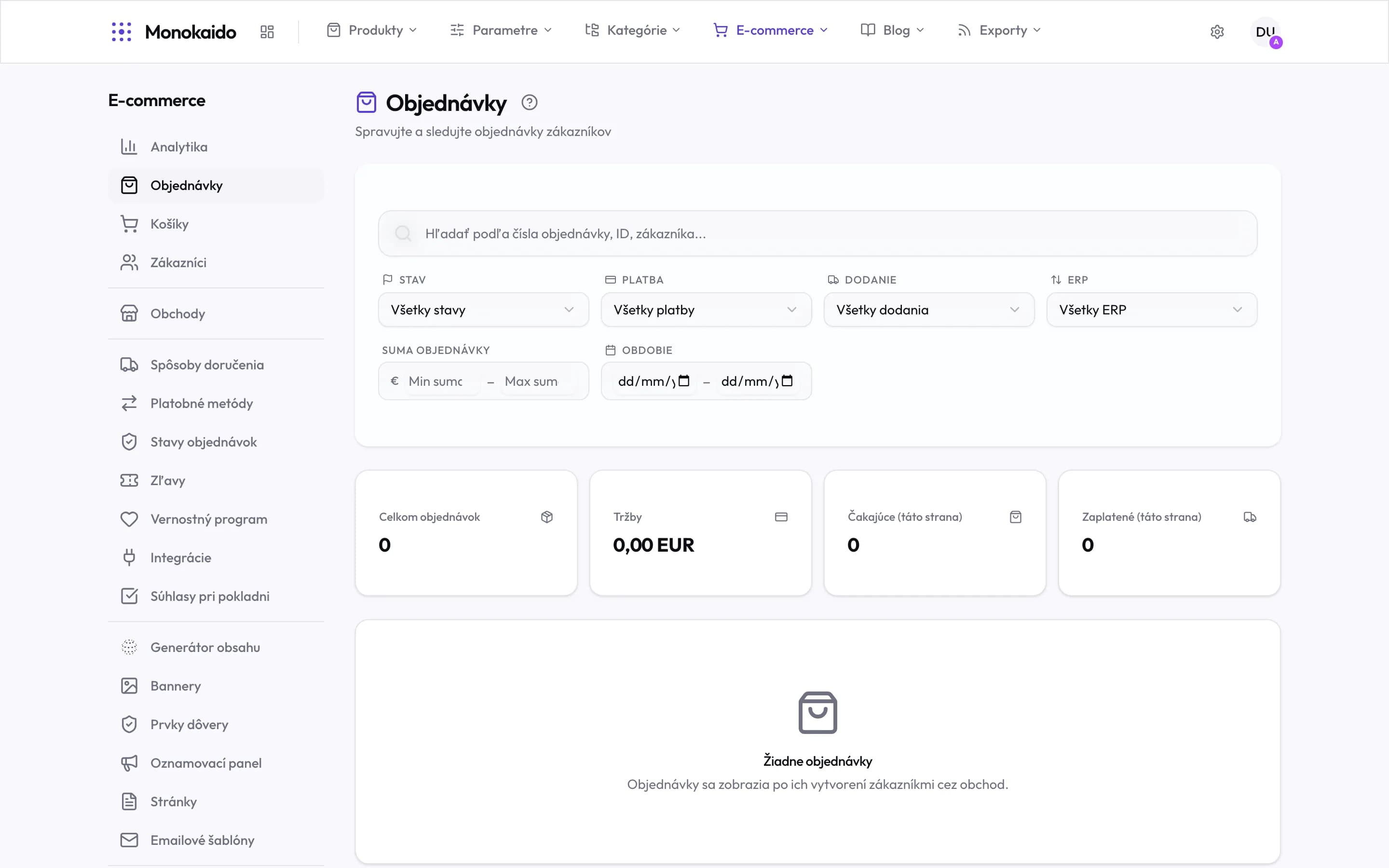
Controls on this screen
- Search — By order number, id or customer. The fastest route to one specific order.
- Status — The order processing status. The most-used filter of the day.
- Payment — Separate from the order status — an order can be shipped and unpaid.
- Delivery — The shipping method. Useful when preparing one carrier’s collection.
- ERP — Whether the order reached the connected ERP.
- Order total — A from–to range. Useful for finding an unusually large order.
- Period — A date range — for closings and complaints.
- Summary — Count, revenue, and the split into pending and paid. The last two count this page, not the whole filter.
- Empty state — Orders are created in the shop — they are never entered by hand in Monokaido.
The list
The filters match how orders are actually worked through:
| Filter | What it is for | Note |
|---|---|---|
| Status | New, processing, dispatched, completed, cancelled, and your own statuses. | The day's most-used filter: "new". |
| Payment status | Paid, pending, failed, refunded. | Not to be confused with order status — an order can be dispatched and unpaid. |
| ERP | Synced, error, pending. | Whether the order reached the connected ERP. "Pending" means neither sent nor failed yet; orders whose own status is Pending, Cancelled or Refunded are left out of it. |
| Period | A date range. | For closing periods and for complaints. |
| Shipping | The delivery method. | Practical when preparing one carrier's collection. |
| Storefront | When several shops run from one catalogue. |
The order detail
| Field | What it does | Note |
|---|---|---|
| Items | What the customer ordered, at the prices in force when they ordered. | A later price change does not alter the order — that is deliberate. |
| Customer and addresses | Contact, delivery and billing address, company details. | Correct them with “Edit details” (editors and admins). Item prices and VAT are not recalculated. Send an order that failed to reach the ERP again afterwards; one already in the ERP must be corrected there too. |
| Shipping and payment | The chosen method and its cost, and the pickup point for Packeta. | In “Edit details” you change the shipping and payment method, their price and the Packeta pickup point; the total is recalculated. Not available for a split order. For a paid order, changing the amount does not change the payment received; a payment still open at the payment gateway is cancelled when the payment method or the amount changes. |
| Order status | Where the order stands. | Changing it is what sends the customer an email. |
| Payment status | Whether the money has landed. | On card payments the gateway reports this itself. |
| Documents | Invoice and delivery note. | |
| Notes | Internal notes on the order. | The customer never sees them. |
| History | Who changed what, and when. | On a complaint it is the only reliable source. |
A customer wants to change their order.
While it is undispatched, items and address can be edited. After dispatch it becomes a complaint or a new order.
The order is paid but the status did not change.
The gateway does not change order status — a person or a rule does. Payment status and order status are separate by design.
Can an order be deleted?
Cancelled yes, deleted no. An order is an accounting record and has to stay traceable.