

Categories by vendor
Categories as the feed sends them — grouped by vendor, with a count for each.
Available to roles Admin, Editor, ViewerOpen in the app (Opens in a new tab)
The same categories as the Tree tab, arranged differently: not by hierarchy but by who sent them. It is a view of what each feed brought you.
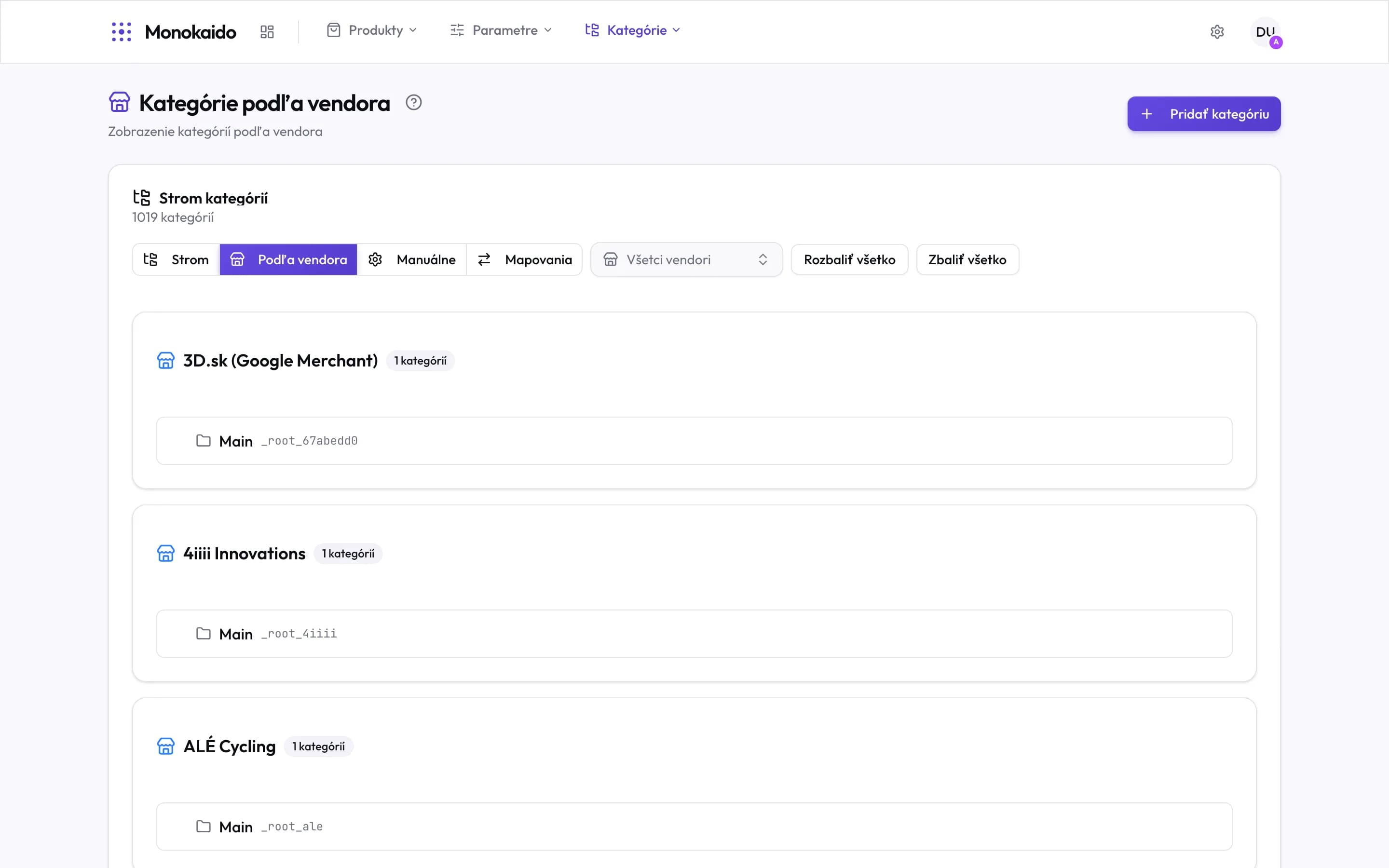
Controls on this screen
- By vendor — The second tab of the Categories section.
- Vendor filter — Leaves one feed on screen. Indispensable at twenty vendors.
- Vendor card — One vendor = one card.
- Category count — How many categories that feed brought. One means the feed sends no structure — everything sits in a single root.
- Vendor category — The name and code exactly as the feed sent them. The code is what the category is matched by on every later import.
What this tab is for
| Question | How this screen answers it |
|---|---|
| Why did 400 categories appear? | A card with a disproportionate count shows which feed brought its own tree. |
| Which vendor sends no structure? | The card with a single category. Its products will need placing by something other than a mapping. |
| What does the structure look like before mapping? | You see the names and codes exactly as they arrive — including the unintelligible ones. |
Can I rename a vendor category here?
There would be no point — the next import restores the original name. Your own categories can be renamed in the Tree.
A vendor has one category with ten thousand products.
The feed sends no structure. Those products can be placed by some other criterion — a rule on brand or a parameter, for instance.