

Company and account
Company details, logo, notifications, interface appearance, and switching between companies.
Available to roles Admin, Editor, ViewerOpen in the app (Opens in a new tab)
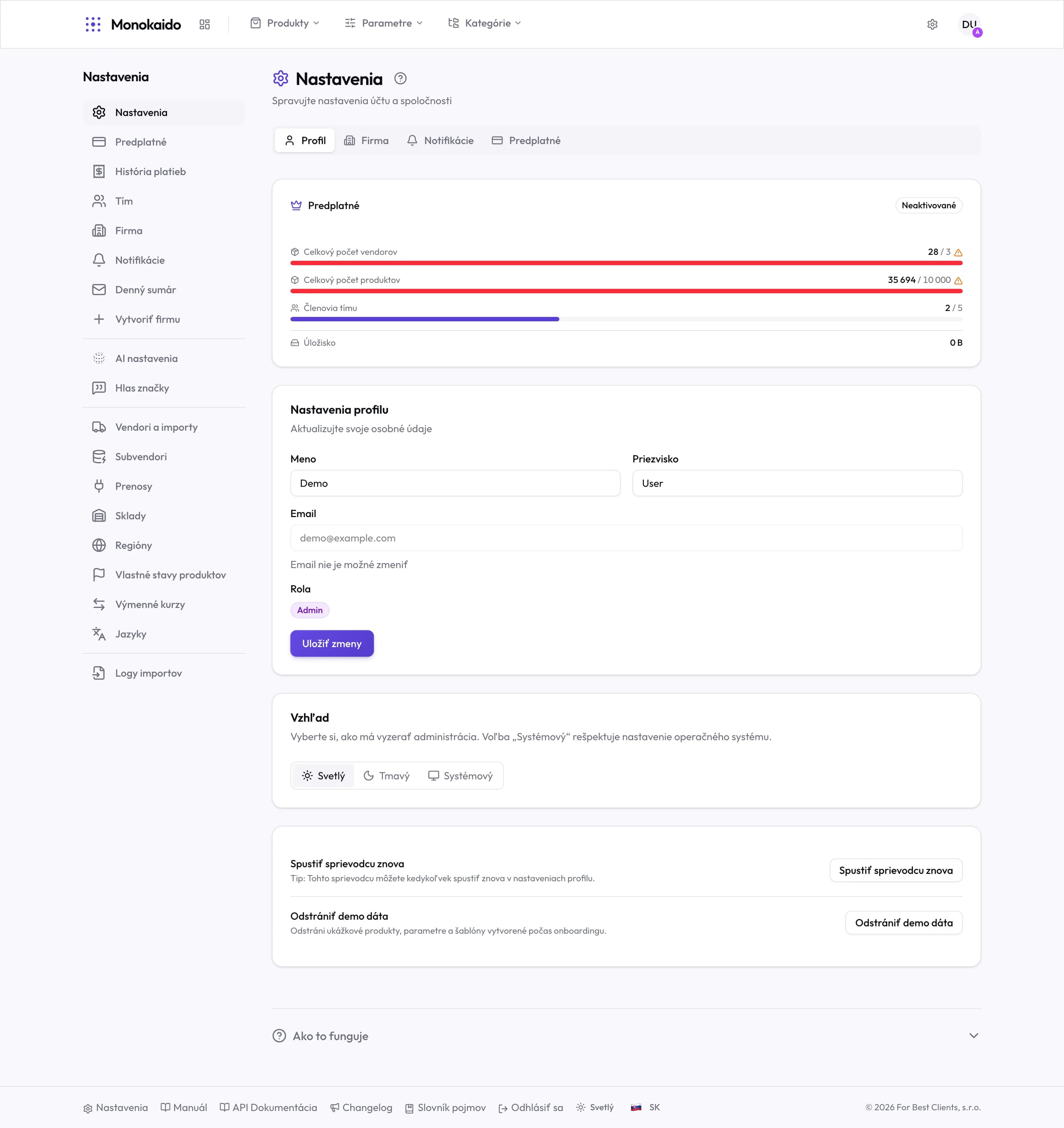
One screen, four tabs — and two different things: your personal account (profile, appearance) and the company (details, notifications, subscription). The first follows you into every company; the second belongs only to the one you have switched to.
Controls on this screen
- Profile — Your personal details and appearance. The same in every company you belong to.
- Company — Company details, as they appear on documents and in emails.
- Notifications — What the system should tell you about.
- Subscription — Package, limits and plan changes.
- Subscription status — "Not activated" means the plan is not confirmed yet.
- Limit usage — A red bar is an exceeded limit. Feed imports carry on, but beyond it you cannot add another vendor or create a product by hand.
- The email cannot be changed — It is the sign-in name and the identity across companies.
- Role — Your role in this company. You cannot change your own.
- Appearance — Light, dark, or follow the operating system. The choice is saved to the account, not the browser.
- Restart onboarding guide — Runs the onboarding guide again.
- Remove demo data — Deletes the sample products, parameters and templates from onboarding. It does not touch your own data.
What belongs where
| Tab | What it holds | Scope |
|---|---|---|
| Profile | Name, email, role, interface appearance. | Your account — the same in every company. |
| Company | Trading name, registration number, address, logo. | This company only. It appears on documents and in emails. |
| Notifications | Which events reach you. | Your account in this company. |
| Subscription | Package, limits, plan changes. | The company. Only an Admin changes it. |
Why can I not change my email?
It is the sign-in name and the identity across every company. Support handles a change.
I removed the demo data. Did I lose anything?
No. It deletes only the sample products, parameters and templates created during onboarding — not what came from your feeds.
I set dark mode and another computer shows light.
The choice is saved to the account, so it should follow. Check you are signed in as the same user.